
Traditional CAD vs AI CAD Key Differences
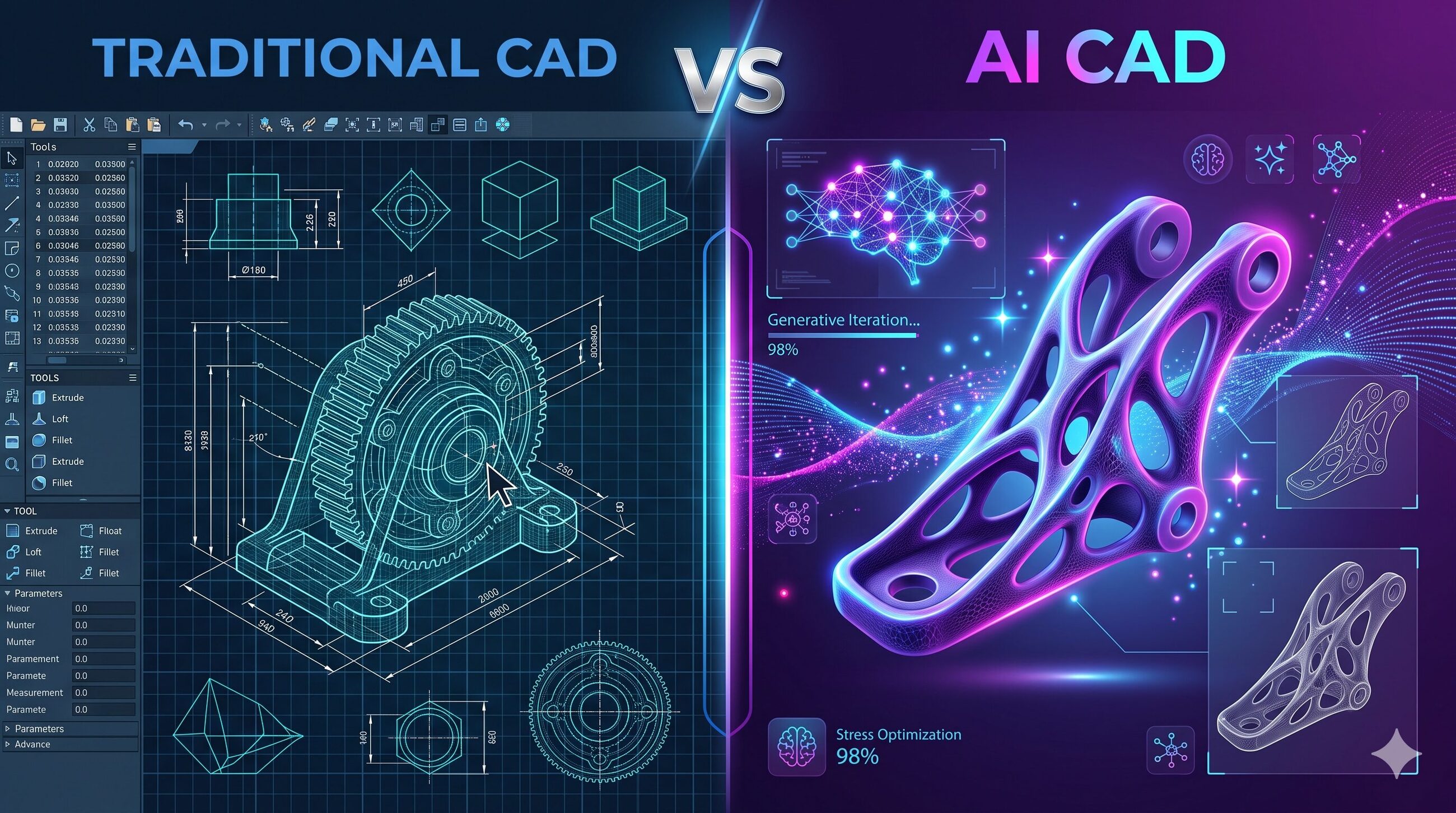
Computer-Aided Design or CAD has long been a foundational tool for engineers, architects, and designers. Traditionally, CAD required manual input, precise drafting skills, and extensive time to complete detailed models. With the advent of Artificial Intelligence or AI, CAD is evolving rapidly. AI-enabled CAD tools now offer predictive design suggestions, automation, error detection, and optimization, making the design process faster and smarter. For beginners, understanding the difference between AI-driven CAD and traditional CAD is crucial to leverage modern tools effectively. This blog provides a simple guide to highlight the key differences and benefits.
What is Traditional CAD
Traditional CAD refers to software systems that allow users to create 2D drawings and 3D models manually. Designers input dimensions, shapes, and specifications, and the software assists by providing tools to create precise geometric models. Traditional CAD relies heavily on human skills and experience. While highly accurate, it can be time-consuming and requires extensive knowledge to perform complex tasks efficiently.
What is AI CAD
AI CAD integrates artificial intelligence technologies into traditional CAD workflows. It uses machine learning, predictive algorithms, generative design, and automation to enhance the design process. AI CAD can suggest design modifications, detect errors, generate multiple alternatives, and optimize models automatically. The software learns from user behavior and previous designs, enabling smarter and faster decision-making.
Key Differences Between AI CAD and Traditional CAD
Design Process
- Traditional CAD: The designer manually creates all components and assemblies. Every step requires human input.
- AI CAD: AI assists in creating components, predicting design steps, and automating repetitive tasks, reducing manual effort.
Speed
- Traditional CAD: Projects may take longer due to manual drafting, dimensioning, and iterative adjustments.
- AI CAD: Tasks are completed faster with predictive suggestions, automation, and generative design alternatives.
Error Detection
- Traditional CAD: Designers must manually check for errors, clashes, or inconsistencies.
- AI CAD: AI detects errors in real-time and suggests corrections, reducing costly revisions.
Creativity and Innovation
- Traditional CAD: Creativity depends entirely on the designer’s skill and experience.
- AI CAD: AI generates multiple design alternatives and optimization options, enabling designers to explore innovative solutions.
Learning Curve
- Traditional CAD: Beginners must learn all commands, tools, and workflows manually.
- AI CAD: AI provides guidance, suggestions, and automation, allowing beginners to learn more efficiently and focus on design concepts.
Benefits of AI CAD Over Traditional CAD for Beginners
Increased Productivity
AI CAD automates repetitive tasks, allowing beginners to complete projects faster and focus on creative problem-solving.
Reduced Errors
AI detects design inconsistencies and structural issues, ensuring higher accuracy and reducing rework.
Enhanced Learning
Beginners benefit from AI suggestions and corrections, learning best practices while using the software.
Design Optimization
AI CAD can optimize for performance, material usage, cost, and manufacturability, helping beginners understand practical design considerations.
Creativity Boost
Generative design and AI suggestions open possibilities for innovative solutions that beginners might not have considered manually.
How AI Enhances Traditional CAD Features
Automation
Standard components, repetitive patterns, and assembly placements can be automated, saving time and effort.
Predictive Modeling
AI predicts design actions, suggesting dimensions, shapes, and materials based on historical patterns.
Generative Design
Designers define constraints and goals, and AI generates multiple solutions, allowing rapid exploration of design alternatives.
Real-Time Error Detection
AI monitors designs for clashes, structural weaknesses, and inconsistencies, providing instant feedback and corrections.
Practical Examples
Mechanical Design
AI can suggest optimal tolerances, component layouts, and material choices, reducing design time and errors.
Architecture
AI-assisted CAD automates floor plan generation, space optimization, and energy simulations, speeding up project delivery.
Product Design
AI generates multiple design alternatives for products, allowing beginners to evaluate and select the most efficient solution quickly.
Engineering Simulations
AI integrates simulation data into the design process, predicting performance and suggesting improvements without manual iteration.
Popular AI CAD Tools for Beginners
- Fusion 360: Offers predictive modeling, generative design, and simulation.
- SolidWorks with AI Add-ons: Provides automation, error detection, and design suggestions.
- Onshape: Cloud-based CAD with AI-assisted collaboration and predictive modeling.
- BricsCAD: AI-assisted 3D modeling and optimization features.
Tips for Beginners Transitioning from Traditional to AI CAD
- Start with small projects to understand AI suggestions and automated features.
- Use AI-generated designs as learning tools rather than replacing manual work entirely.
- Explore generative design to experience alternative design possibilities.
- Balance AI assistance with manual practice to develop foundational CAD skills.
- Follow tutorials and online resources to stay updated with AI CAD features.
Challenges and Considerations
Over-Reliance on AI
Beginners may become dependent on AI suggestions and skip learning core CAD concepts. A balance is essential.
Learning AI Features
Understanding AI-driven tools requires time and practice. Start with simple features before exploring advanced capabilities.
Data Privacy
AI CAD tools often use historical project data. Beginners should understand data policies and secure sensitive information.
The Future of AI CAD
The future points to fully intelligent CAD systems that provide autonomous design generation, real-time simulation, and predictive modeling. For beginners, learning AI CAD now ensures they stay ahead in evolving engineering and design workflows.
Conclusion
AI CAD and traditional CAD differ primarily in speed, automation, predictive capabilities, and learning assistance. While traditional CAD relies on manual skill, AI CAD enhances productivity, reduces errors, and enables innovative design possibilities. Beginners who adopt AI CAD tools gain faster workflows, improved accuracy, and a more engaging learning experience, making them better prepared for the future of design and engineering.