
Screen Size Calculator: How to Calculate Screen Size, Dimensions & Aspect Ratio
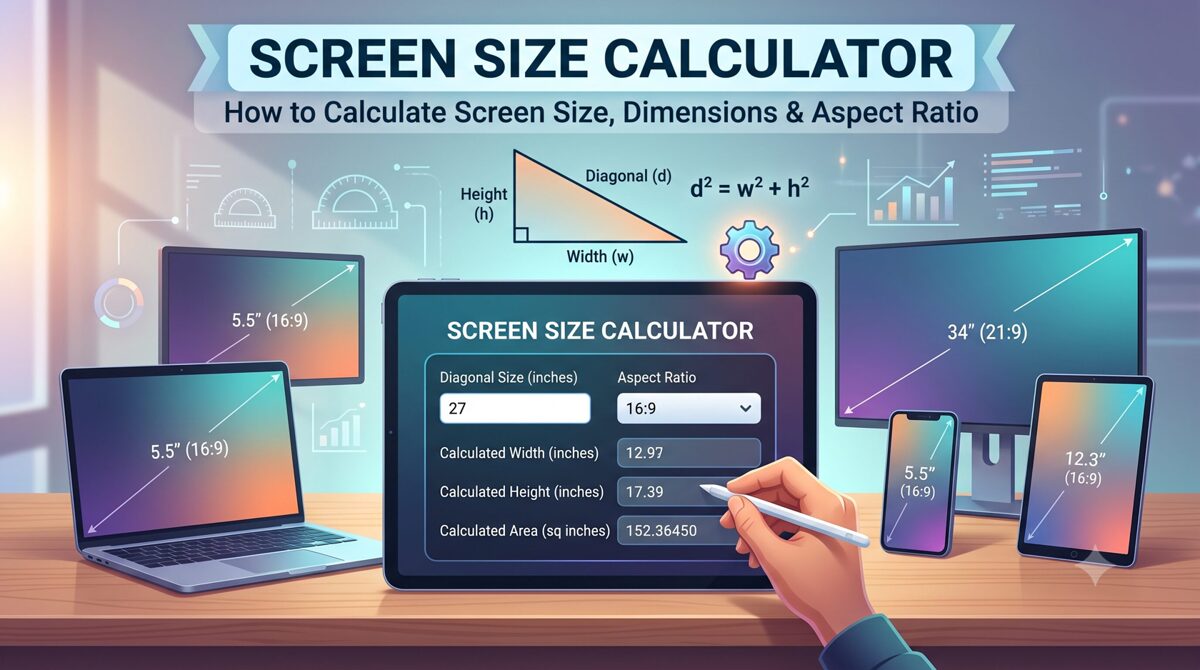
A screen size calculator is a useful tool for finding the diagonal size, width, height, and other physical dimensions of a display. Whether you are comparing monitors, choosing a TV, checking laptop dimensions, planning a projector setup, or determining how much wall space a screen will occupy, understanding screen measurements can help you make more accurate decisions.
Screen size is normally expressed by the diagonal measurement of the visible display, rather than its width or height. For example, a 27-inch monitor has a display diagonal of approximately 27 inches. However, two screens with the same diagonal size can have different widths and heights when they use different aspect ratios.
This is why a screen size calculator is more useful than simply looking at the diagonal measurement. By combining screen size, aspect ratio, width, and height, you can determine the actual physical dimensions of a display.
For example, a 16:9 display and a 21:9 display can have the same diagonal measurement but significantly different proportions. Understanding this relationship is particularly important when buying a monitor, installing a TV, designing a home theater, or planning a projector screen.
In this guide, you will learn what a screen size calculator is, how screen size is measured, how to calculate screen dimensions, how aspect ratio affects dimensions, and how to calculate TV, monitor, and projector screen sizes.
Key Takeaways
A screen size calculator determines the diagonal, width, height, and sometimes area of a display.
Screen size is generally measured diagonally from one visible corner to the opposite corner.
The physical dimensions of a screen depend on both its diagonal size and aspect ratio.
Screen size and screen resolution are different measurements.
The diagonal can be calculated from width and height using the Pythagorean theorem.
A 16:9 display is wider than a 4:3 display with the same diagonal measurement.
TVs, monitors, laptops, smartphones, tablets, and projector screens can all be measured using similar geometric principles.
A screen dimension calculator can be useful when you know the width or height but need the remaining measurements.
Projector installations require additional considerations such as throw distance, aspect ratio, and viewing distance.
Always distinguish between the visible screen area and the overall physical dimensions of the device or screen frame.
What Is a Screen Size Calculator?
A screen size calculator is a mathematical or online tool that calculates the dimensions of a display based on known measurements such as diagonal size, width, height, and aspect ratio.
Depending on the calculator, you may enter one known measurement and an aspect ratio, and the tool can determine the remaining dimensions.
For example, if you know that a display is 27 inches with a 16:9 aspect ratio, a screen size calculator can estimate its visible width and height.
A calculator can commonly determine:
Screen diagonal
Screen width
Screen height
Aspect ratio
Display area
Inches-to-centimeters conversion
Centimeters-to-inches conversion
Why Use a Screen Size Calculator?
Manually calculating display dimensions can be useful for understanding the mathematics, but a calculator makes the process faster and reduces arithmetic errors.
A screen size calculator can help when:
Buying a new monitor
Comparing TV sizes
Planning a desk setup
Measuring laptop displays
Choosing a projector screen
Checking whether a display will fit a cabinet or wall
Comparing different aspect ratios
Planning a multi-monitor workspace
Estimating physical screen dimensions from diagonal size
How Is Screen Size Measured?
Screen size is generally measured diagonally across the visible display area, from one corner to the opposite corner.
For example, if a monitor is advertised as a 27-inch display, the approximately 27-inch measurement refers to the diagonal of the visible display.
It does not normally mean that the monitor is 27 inches wide.
How Do You Measure a Screen?
To physically measure a screen:
Identify one corner of the visible display.
Place the measuring tape at that corner.
Measure diagonally to the opposite corner.
Do not include the bezel unless you specifically want the overall device dimensions.
Record the measurement in inches or centimeters.
Does Screen Size Include the Bezel?
Usually, the advertised screen size refers to the display area, not the entire physical device.
For example, a monitor could have a 27-inch display but a physical body that is slightly wider and taller because of its bezel, stand, frame, or other components.
This distinction matters when checking whether a monitor or TV will physically fit into a specific space.
Screen Size vs Device Size
These terms should not be confused.
Screen size refers primarily to the visible display's diagonal measurement.
Device size refers to the overall physical dimensions of the product.
A television may have a 55-inch screen while the complete TV body is wider than the screen itself.
Screen Size vs Resolution vs Aspect Ratio
Three terms are frequently confused when discussing displays: screen size, resolution, and aspect ratio.
They describe different characteristics.
| Term | Meaning |
|---|---|
| Screen Size | Physical diagonal measurement of the display |
| Width | Horizontal physical dimension |
| Height | Vertical physical dimension |
| Resolution | Number of pixels displayed horizontally and vertically |
| Aspect Ratio | Relationship between screen width and height |
| PPI | Pixel density measured in pixels per inch |
What Is Screen Size?
Screen size describes the physical diagonal measurement of a display.
What Is Screen Resolution?
Resolution describes the number of pixels available on the screen.
Common examples include:
1920 × 1080
2560 × 1440
3840 × 2160
5120 × 1440
A higher resolution does not automatically mean a physically larger screen.
For example, a 27-inch monitor can have a 1080p, 1440p, or 4K resolution depending on the model.
What Is Aspect Ratio?
Aspect ratio describes the proportional relationship between the width and height of a display.
For example:
16:9
means that for every 16 units of width, the screen has 9 units of height.
Other common aspect ratios include:
4:3
16:10
3:2
21:9
32:9
Therefore, screen size, resolution, and aspect ratio should be considered separately.
How to Calculate Screen Size
The simplest way to calculate screen size when you know the width and height is to use the Pythagorean theorem.
Screen Size Formula
Diagonal = √(Width² + Height²)
Here:
Width = horizontal screen measurement
Height = vertical screen measurement
Diagonal = screen size
Example: Calculate Screen Size From Width and Height
Suppose a display has:
Width = 24 inches
Height = 13.5 inches
The diagonal is:
Diagonal = √(24² + 13.5²)
Diagonal = √(576 + 182.25)
Diagonal = √758.25
The resulting diagonal is approximately 27.5 inches.
This illustrates why screen size is traditionally represented by its diagonal rather than its width.
How to Calculate Screen Size From Width and Height
Follow these steps:
Measure the screen width.
Measure the screen height.
Square the width.
Square the height.
Add the two values.
Calculate the square root.
The result is the approximate diagonal screen size.
A screen size calculator performs these calculations automatically.
How to Calculate Screen Dimensions From Aspect Ratio
If you know the screen's diagonal and aspect ratio, you can calculate its width and height.
This is especially useful when a manufacturer provides the diagonal but you need to know whether the display will fit a particular space.
Suppose the aspect ratio is:
16:9
That means:
Width : Height = 16 : 9
The width and height can be represented as:
Width = 16x
Height = 9x
The diagonal is then determined using the relationship:
Diagonal = √((16x)² + (9x)²)
Once the value of x is determined, the width and height can be calculated.
Example: 27-Inch 16:9 Display
For a 27-inch display with a 16:9 aspect ratio, the approximate visible dimensions are:
Width: 23.53 inches
Height: 13.24 inches
Diagonal: 27 inches
In centimeters, that is approximately:
Width: 59.77 cm
Height: 33.63 cm
Diagonal: 68.58 cm
These figures represent the display area and should not be treated as the exact outer dimensions of a particular monitor.
Why Aspect Ratio Matters
Imagine two displays that are both 27 inches diagonally.
One is 16:9.
The other is 21:9.
Although both have approximately the same diagonal, the 21:9 display is considerably wider and shorter.
Therefore, diagonal size alone does not tell you the complete physical dimensions of a screen.
Screen Size and Aspect Ratio Chart
The following examples show approximate visible dimensions for common 16:9 screens.
| Screen Size | Approx. Width | Approx. Height | Approx. Diagonal |
|---|---|---|---|
| 13" | 11.33" | 6.37" | 13" |
| 15.6" | 13.59" | 7.64" | 15.6" |
| 24" | 20.92" | 11.77" | 24" |
| 27" | 23.53" | 13.24" | 27" |
| 32" | 27.89" | 15.69" | 32" |
| 43" | 37.48" | 21.08" | 43" |
| 50" | 43.58" | 24.51" | 50" |
| 55" | 47.94" | 26.97" | 55" |
| 65" | 56.65" | 31.87" | 65" |
| 75" | 65.37" | 36.77" | 75" |
| 85" | 74.04" | 41.65" | 85" |
Actual manufacturer dimensions can vary slightly because product specifications may refer to the visible panel, bezel, frame, or complete device.
Common Aspect Ratios
| Aspect Ratio | Common Applications |
|---|---|
| 4:3 | Older monitors, legacy displays |
| 16:9 | TVs, monitors, laptops, video |
| 16:10 | Productivity monitors and laptops |
| 3:2 | Some laptops and tablets |
| 21:9 | Ultrawide monitors |
| 32:9 | Super-ultrawide monitors |
The same diagonal measurement will produce different width and height values depending on the aspect ratio.
TV Screen Size Calculator
A TV screen size calculator can help determine the approximate width and height of a television when you know its diagonal and aspect ratio.
Most modern televisions use a widescreen format, commonly 16:9.
For example, a 55-inch 16:9 television has an approximate visible display width of 47.94 inches and height of 26.97 inches.
A 65-inch 16:9 television has an approximate visible display width of 56.65 inches and height of 31.87 inches.
However, these measurements do not necessarily represent the complete physical dimensions of the TV. The bezel, frame, stand, and other design elements can add to the overall size.
How to Choose the Right TV Size
When selecting a TV, consider:
Wall width
Available cabinet space
Viewing distance
TV aspect ratio
TV stand dimensions
Mounting requirements
Screen resolution
Room layout
A screen size calculator can determine the display dimensions, while the manufacturer's product specifications should be used to verify the final physical dimensions before installation.
Monitor Screen Size Calculator
A monitor screen size calculator is useful for determining the physical dimensions of computer displays.
Common monitor sizes include:
21.5 inches
24 inches
27 inches
32 inches
34 inches
38 inches
49 inches
For standard 16:9 monitors, a 27-inch display is approximately 23.53 inches wide and 13.24 inches high in terms of visible screen area.
However, ultrawide monitors require different calculations.
Ultrawide Monitor Dimensions
A 34-inch 21:9 monitor has a different shape from a 34-inch 16:9 monitor.
The diagonal is the same, but the ultrawide monitor is substantially wider.
This is an important consideration when planning:
Desk space
Monitor arms
Multi-monitor setups
Wall-mounted displays
Gaming stations
Productivity workstations
Curved Monitor Considerations
Curved monitors can introduce additional complexity when physically measuring the product.
The advertised diagonal is still based on the display's specified measurement, but the physical depth and outer dimensions can differ from a flat display.
Always check the manufacturer's dimensions when determining whether a curved monitor will fit into a particular workspace.
Projector Screen Size Calculator
Projector screens follow the same basic relationship between diagonal, width, height, and aspect ratio, but projector installations introduce additional variables.
A projector screen calculator can be used to determine:
Screen width
Screen height
Screen diagonal
Aspect ratio
Projector-to-screen distance
Throw ratio
Viewing area
For example, projector calculators can combine screen dimensions with projector model, lens information, room dimensions, aspect ratio, and throw distance. BenQ's projector calculator includes screen diagonal, width, height, aspect ratio, room dimensions, and projector-to-screen distance as part of its planning interface.
You can also use our Projector Screen Size Calculator to calculate the dimensions of a projector screen based on the measurements you already know.
A projector screen calculator is particularly useful for:
Home theaters
Classrooms
Conference rooms
Training rooms
Offices
Cinemas
Large-format presentations
For projector installations, remember that screen size alone is not enough. Throw ratio, projector lens characteristics, room depth, mounting position, image aspect ratio, and seating distance can affect the final installation.
Top Software and Online Tools to Calculate Screen Size
Several online tools can help calculate or compare screen dimensions. The best choice depends on whether you need a simple mathematical calculation, screen comparison, or projector planning.
1. Screen Size Calculator
A dedicated screen size calculator is ideal when you already know one dimension and need to calculate the others.
A useful calculator should allow you to enter:
Diagonal
Width
Height
Aspect ratio
Measurement unit
The calculator can then return the remaining dimensions.
2. Display Wars
Display Wars is useful for visually comparing different screen sizes. It allows users to compare displays by size and aspect ratio, making it particularly useful when deciding between TVs, monitors, tablets, and other displays.
Its visual comparison approach is useful when raw dimensions do not provide an intuitive sense of how large two screens will appear side by side.
3. Inch Calculator Screen Size Calculator
Inch Calculator provides a dedicated screen size calculator where users can select an aspect ratio and enter a known dimension such as diagonal, width, or height. The tool then calculates the remaining screen measurements.
It also explains the underlying screen-size calculation process, which makes it useful for users who want both the tool and the mathematical explanation.
4. Projector Calculators
Projector-specific calculators are more appropriate when you are designing a projection system.
For example, ProjectorScreen.com's calculator tools allow users to work with screen size, dimensions, aspect ratios, viewing distances, and projector-related measurements.
BenQ also provides a projector calculator that incorporates room dimensions, projector model, lens information, aspect ratio, screen size, and projector-to-screen distance.
5. Display Planning Calculators
Some newer display calculators combine multiple functions, including physical screen dimensions, pixel density, TV viewing distance, and projector calculations.
The right tool depends on your objective:
| Requirement | Recommended Tool Type |
|---|---|
| Calculate screen dimensions | Screen size calculator |
| Compare two displays | Screen comparison tool |
| Calculate monitor dimensions | Monitor/screen calculator |
| Calculate TV dimensions | TV size calculator |
| Plan projector installation | Projector calculator |
| Calculate projector screen dimensions | Projector screen size calculator |
| Calculate pixel density | PPI calculator |
| Compare aspect ratios | Aspect ratio calculator |
Frequently Asked Questions
What is a screen size calculator?
A screen size calculator is a tool that calculates a display's diagonal, width, height, or related dimensions using measurements such as aspect ratio, width, or height. It can be used for TVs, monitors, laptops, tablets, smartphones, and projector screens.
How do you calculate screen size?
If you know the screen's width and height, calculate the diagonal using the formula √(width² + height²). The result represents the approximate diagonal screen size. If you know the diagonal and aspect ratio, you can calculate the corresponding width and height.
How is TV screen size measured?
TV screen size is generally measured diagonally across the visible display, from one corner to the opposite corner. The measurement usually excludes the outer frame and stand. A TV's overall physical dimensions will therefore be larger than its advertised screen size.
What does 16:9 mean on a screen?
A 16:9 aspect ratio means the screen has 16 units of width for every 9 units of height. It is commonly used for modern televisions, video content, monitors, laptops, and streaming media.
Does screen size mean width?
No. Screen size normally refers to the diagonal measurement of the visible display. Width is a separate horizontal measurement. For example, a 27-inch 16:9 monitor is approximately 23.53 inches wide rather than 27 inches wide.
Does a larger screen have a higher resolution?
Not necessarily. Screen size and resolution measure different things. A large display can have a relatively low resolution, while a smaller display can have a very high resolution. Resolution describes the number of pixels, while screen size describes physical display dimensions.
How do I calculate screen dimensions?
To calculate screen dimensions, you need the diagonal measurement and aspect ratio, or the width and height. A screen size calculator can use these values to determine the remaining dimensions.
How big is a 27-inch 16:9 screen?
A 27-inch 16:9 display has an approximate visible width of 23.53 inches and height of 13.24 inches. Its diagonal is 27 inches. The actual overall monitor dimensions will be slightly larger depending on the bezel and chassis.
How big is a 55-inch 16:9 TV?
A 55-inch 16:9 display is approximately 47.94 inches wide and 26.97 inches high in terms of visible screen area. The complete TV will generally be larger because of its frame and other physical components.
How do I calculate projector screen size?
Projector screen size can be calculated using the screen's diagonal, width, height, and aspect ratio. Projector installations may also require throw ratio and projector-to-screen distance calculations. A dedicated projector screen size calculator is useful for this purpose.
Can two screens have the same size but different dimensions?
Yes. Two displays can have the same diagonal measurement but different widths and heights because of different aspect ratios. For example, a 16:9 screen and a 21:9 screen with the same diagonal will have noticeably different proportions.
What is the difference between screen size and screen dimensions?
Screen size normally refers to the diagonal measurement, while screen dimensions refer to the width and height. For example, a display can be described as a 27-inch screen with dimensions of approximately 23.53 × 13.24 inches when using a 16:9 aspect ratio.
Should I measure the bezel when calculating screen size?
No, if you want the advertised display size. Measure only the visible screen area from one corner to the opposite corner. If you need to know whether the complete device will fit into a space, measure or check the manufacturer's overall width and height instead.
What aspect ratio is best for a monitor?
There is no single best aspect ratio for every user. 16:9 is versatile and widely supported, while 16:10 can provide additional vertical workspace. Ultrawide ratios such as 21:9 or 32:9 can be useful for gaming, multitasking, and wide productivity workflows.
Conclusion
A screen size calculator makes it easier to understand the physical dimensions of a display without performing complicated calculations manually. By using the diagonal measurement, aspect ratio, width, and height, you can determine how large a screen actually is and whether it will fit your intended space.
The most important concept to remember is that screen size is generally the diagonal measurement, while screen dimensions describe width and height. Aspect ratio connects these measurements and determines the physical shape of the display.
For example, two 27-inch displays can have different dimensions if they use different aspect ratios. Similarly, a 55-inch TV's advertised diagonal does not mean that the TV is 55 inches wide.
A screen size calculator is useful for TVs, monitors, laptops, smartphones, tablets, and projector screens. For projector installations, additional factors such as throw distance and projector specifications should also be considered.
If you need a quick calculation, use a Screen Size Calculator to determine the diagonal, width, height, and aspect ratio of your display. For more specialized calculations, explore our Screen Dimension Calculator and Projector Screen Size Calculator.
Understanding these measurements helps you make better decisions when buying displays, planning workspaces, installing home theaters, or designing professional presentation environments.