
Minimalist Desk Setup: How to Create a Clean & Clutter-Free Workspace
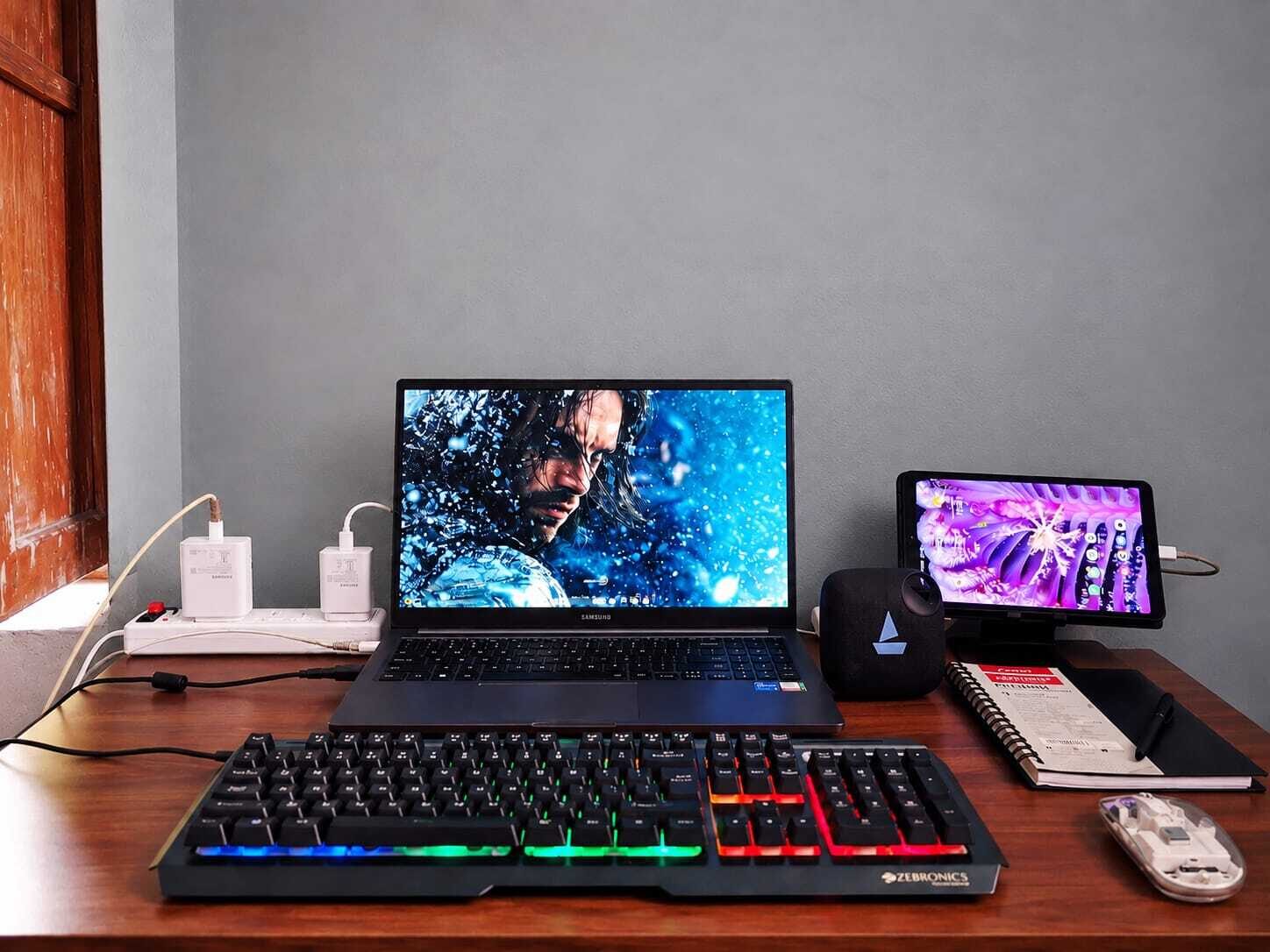
A cluttered desk can make even a simple workday feel overwhelming. Papers pile up, cables become tangled, unnecessary accessories take up valuable space, and before long, your workspace becomes difficult to use.
A minimalist desk setup takes the opposite approach.
Instead of filling your workspace with unnecessary items, minimalist desk design focuses on keeping only the things you genuinely need. The result is a clean, organized, functional, and visually appealing workspace that can make it easier to focus on your work.
A minimalist workspace does not necessarily mean owning only one monitor, a tiny desk, or an empty tabletop. It means being intentional about what you place in your workspace.
Whether you work from home, study, create content, manage a business, program, or simply use a computer every day, a minimalist desk setup can help you create a more comfortable and organized environment.
The good news is that you do not need to spend a fortune creating one.
With the right desk, monitor arrangement, cable management, lighting, storage, and accessories, you can transform an ordinary workspace into a clean and functional minimalist workstation.
This guide explains how to create a minimalist desk setup, what accessories you actually need, how to organize cables, how to choose the right desk and lighting, and which common mistakes to avoid.
Key Takeaways
A minimalist desk setup focuses on function, simplicity, and organization.
Minimalism does not mean having an empty desk; every item should have a purpose.
Start by removing unnecessary items before buying new accessories.
Choose a desk that provides enough workspace without taking up unnecessary room.
Keep frequently used items within easy reach and store everything else.
Cable management is one of the easiest ways to create a cleaner workspace.
A monitor arm or monitor stand can free up valuable desk space.
Choose simple and functional desk accessories instead of decorative clutter.
Good lighting is important for both comfort and workspace aesthetics.
Use drawers, shelves, pegboards, and organizers to keep the desktop clear.
Ergonomics should remain a priority even when designing a minimalist workspace.
Review your desk regularly and remove items you no longer use.
What Is a Minimalist Desk Setup?
A minimalist desk setup is a workspace designed around simplicity, functionality, organization, and intentional use of space.
The basic principle is simple:
Keep what you need, organize what you use, and remove what you don't.
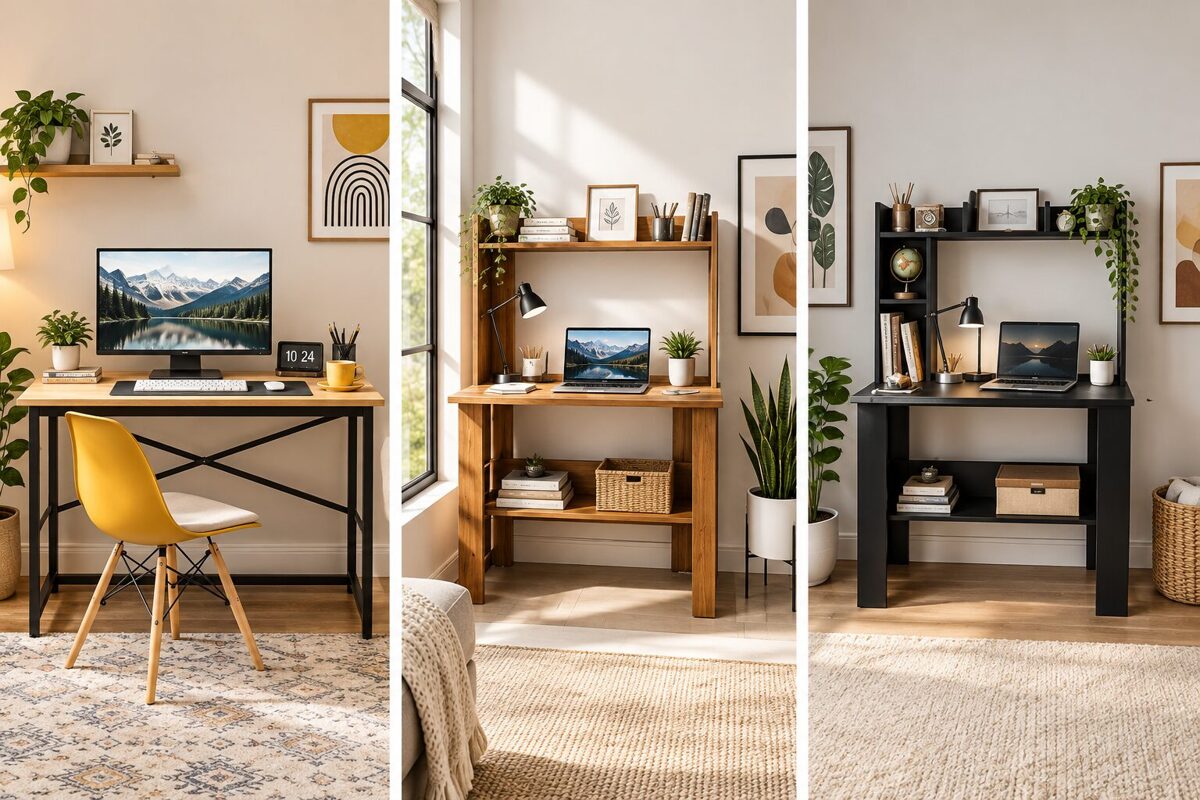
A minimalist desk may include:





However, there is no universal checklist.
Someone working as a programmer may need two or three monitors, while a writer may need only a laptop. A graphic designer may require a drawing tablet, while a student may need notebooks and textbooks.
Therefore, minimalist design is not about having the fewest objects possible.
It is about eliminating unnecessary objects while keeping the tools that support your work.
Why Create a Minimalist Desk Setup?
A clean workspace can make your working environment feel more organized and manageable.
1. Reduces Visual Clutter
When too many objects compete for your attention, your desk can feel chaotic.
Removing unnecessary items creates more visual space.
2. Makes Cleaning Easier
A desk with fewer objects is easier to dust, wipe, and maintain.
3. Improves Organization
When every important item has a designated place, you spend less time searching for things.
4. Creates More Working Space
Removing unused accessories, papers, and decorative items gives you more room for your computer, notebook, or other essential tools.
5. Creates a Professional Appearance
A clean desk can make a home office or professional workspace look more polished.
6. Makes Your Workspace More Comfortable
Good organization can reduce unnecessary reaching and movement while working.
However, a minimalist setup should not be treated as a guaranteed productivity solution. Your work habits, environment, schedule, and ergonomics also play important roles.
How to Create a Minimalist Desk Setup
Creating a minimalist desk does not have to happen overnight.
The easiest approach is to build your setup step by step.
Step 1: Remove Everything From Your Desk
Start with a clean surface.
Take everything off your desk and place the items somewhere nearby.
This gives you an opportunity to see how much you actually have.
Now divide everything into three groups:
Keep
Items you use regularly.
Store
Items you need occasionally but don't need on the desktop.
Remove
Items you no longer use.
This simple exercise can dramatically reduce unnecessary clutter.
Step 2: Identify Your Essential Desk Items
Before purchasing anything new, identify what you actually need.
For a basic computer workstation, the essentials may include:
Computer or laptop
Monitor
Keyboard
Mouse
Power accessories
Headphones
Desk lamp
You may also need:
Notebook
Pen
External storage
Microphone
Webcam
Drawing tablet
Phone stand
The exact list depends on your work.
The key is to avoid buying accessories simply because they look good in someone else's desk setup.
Step 3: Choose the Right Desk
Your desk is the foundation of your minimalist workspace.
Choose a desk based on your available space and daily requirements.
Consider:
Width
Depth
Height
Storage
Material
Stability
Cable-management options
A desk that is too small can become cluttered quickly.
A desk that is unnecessarily large may consume valuable room.
For most users, the ideal desk provides enough space for essential equipment while leaving some open working area.
Step 4: Keep the Desktop as Clear as Possible
One of the easiest minimalist desk setup rules is:
Don't use the desktop as permanent storage.
For example, avoid leaving these items scattered around:
Receipts
Packaging
Empty bottles
Random papers
Extra cables
Unused notebooks
Multiple pens
Old electronics
Unused accessories
Instead, create dedicated storage locations.
Use drawers, shelves, boxes, or organizers for things that don't need to remain on the desk.
Step 5: Organize Your Monitor
The monitor is often the largest object on a computer desk.
Position it carefully.
Your monitor should be comfortable to view without forcing you to constantly bend your neck.
A monitor stand or monitor arm can also help create additional space underneath the screen.
You can use the freed-up space for:
Keyboard storage
Notebook
Small accessories
Charging devices
For dual-monitor setups, keep the screens aligned and position the primary display according to your normal viewing direction.
Step 6: Use a Monitor Arm
A monitor arm can be particularly useful for a minimalist workstation.
Instead of keeping the monitor on a large stand, the arm attaches the monitor to the desk and allows you to adjust its position.
Depending on the model, you may be able to adjust:
Height
Tilt
Rotation
Distance
Orientation
One of the biggest advantages is the amount of desk space it can free.
However, a monitor arm isn't essential for every setup. If your existing monitor stand is compact and comfortable, keeping it may be the more minimalist choice.
Step 7: Hide Your Cables
Cable clutter is one of the biggest problems with otherwise clean desk setups.
Even an expensive desk can look messy if cables are hanging everywhere.
Start by identifying every cable.
Separate them into:
Power cables
Display cables
USB cables
Charging cables
Audio cables
Network cables
Then route them together where possible.
Useful cable-management solutions include:
Cable clips
Cable sleeves
Under-desk cable trays
Velcro cable ties
Cable boxes
Adhesive cable holders
Avoid permanently bundling cables that you frequently disconnect.
Good cable management should make your setup cleaner without making maintenance difficult.
Step 8: Create a Charging Station
Phones, earbuds, smartwatches, tablets, and other devices can quickly create cable clutter.
Instead of allowing charging cables to spread across your desk, create one dedicated charging area.
You could use:
A charging dock
A wireless charging stand
A cable organizer
A small charging shelf
Keep charging cables grouped together.
This makes your desk look cleaner and makes it easier to find the correct cable.
Step 9: Choose a Simple Desk Mat
A desk mat can make your setup look more cohesive while providing a smooth surface for your keyboard and mouse.
When choosing a desk mat, consider:
Size
Material
Cleaning requirements
Durability
Color
Surface texture
For a minimalist appearance, neutral colors such as black, gray, beige, white, or natural tones can work well.
However, choose a color that complements your room rather than following a trend blindly.
Step 10: Keep Desk Accessories Minimal
Accessories can improve functionality, but too many can defeat the purpose of minimalism.
Useful desk accessories may include:
Desk organizer
Monitor stand
Desk lamp
Headphone stand
Cable organizer
Small plant
Notebook
Pen holder
Before adding an accessory, ask:
Does this item solve a real problem?
If the answer is no, you probably don't need it.
Step 11: Use Vertical Space
One of the best ways to keep your desk clear is to use the space above and beside it.
Consider:
Wall shelves
Pegboards
Floating shelves
Monitor shelves
Vertical organizers
Vertical storage can keep frequently used items accessible without taking up valuable desktop space.
This is particularly useful for small desk setups.
Step 12: Choose Appropriate Lighting
Lighting is an important part of a comfortable workspace.
A minimalist desk setup doesn't require multiple decorative lights.
One well-positioned desk lamp may be enough.
You can also use:
Natural light
Ceiling lighting
Monitor lighting
Adjustable desk lamps
Indirect ambient lighting
Avoid placing a bright light directly behind your monitor if it creates distracting reflections.
Likewise, avoid working in a very dark room with only a bright monitor as your light source.
Step 13: Add One or Two Personal Elements
Minimalism does not mean removing all personality.
A completely empty desk can feel sterile.
Consider adding one or two personal elements, such as:
Small plant
Photo
Artwork
Small decorative object
Favorite notebook
Minimal clock
The key is moderation.
One meaningful item can have more visual impact than ten unrelated decorations.
Step 14: Create a Dedicated Storage System
Everything you keep should have a place.
For example:
Desk drawer:
Frequently used stationery.
Shelf:
Books and equipment.
Cable box:
Extra charging and electronic cables.
Storage box:
Occasionally used accessories.
File organizer:
Important documents.
This simple system prevents your desktop from becoming a storage area.

Minimalist Desk Setup for Small Spaces
You don't need a large room to create a minimalist workstation.
If space is limited, prioritize multifunctional equipment.
For example:
Use a laptop instead of a desktop computer if appropriate.
Use a monitor arm instead of a large monitor stand.
Use wall shelves instead of floor storage.
Use a compact keyboard.
Store accessories vertically.
Use an under-desk cable tray.
Keep only frequently used items on the desktop.
A small desk can still look spacious if the available surface is used efficiently.
Minimalist Desk Setup for Work From Home
A work-from-home workspace should balance aesthetics, productivity, comfort, and ergonomics.
A basic setup might include:
Comfortable desk
Ergonomic chair
Laptop or desktop
External monitor
Keyboard and mouse
Desk lamp
Headphones
Cable management
Small storage system
Keep work-related items organized and avoid allowing your desk to become a general-purpose storage area.
If possible, separate work equipment from personal items so that your workspace remains easier to manage.
Minimalist Desk Setup for Students
Students may need more physical materials than remote workers.
A practical student setup can include:
Laptop
Monitor
Keyboard and mouse
Notebook
Pens
Books
Desk lamp
Headphones
Small organizer
Instead of keeping every textbook on the desk, store books vertically on a nearby shelf.
Keep only the materials needed for the current study session on the desktop.
Minimalist Desk Setup for Gamers
A minimalist gaming setup can still include powerful hardware.
You don't have to remove gaming equipment simply to achieve a minimalist appearance.
Focus on:
Clean cable management
Limited decorative items
A simple desk
Monitor arm
Compact peripherals
Organized accessories
Controlled lighting
Instead of covering the desk with RGB accessories, use lighting strategically.
A clean gaming desk can look modern without being visually overwhelming.
Minimalist Dual Monitor Setup
Dual monitors can improve multitasking, but they can also dominate a desk.
To create a cleaner dual-monitor setup:
Use matching monitors when possible.
Align the top edges.
Use a dual-monitor arm.
Hide display cables.
Keep the keyboard centered.
Avoid placing unnecessary accessories between the monitors.
Use a consistent desktop background.
The goal is to make the monitors appear like one organized workstation rather than two separate devices.
Best Colors for a Minimalist Desk Setup
Color can strongly influence the appearance of a workspace.
Common minimalist color palettes include:
Black and White
A simple high-contrast combination that works well for modern setups.
Neutral Gray
A softer alternative to black and white.
Beige and Wood
Creates a warmer and more natural workspace.
White and Light Wood
Suitable for bright and airy interiors.
Black and Natural Wood
Combines a modern appearance with warmth.
You don't need to follow a specific color palette.
The important thing is consistency.
Try to limit your setup to a small number of complementary colors.
Minimalist Desk Setup Accessories You Actually Need
Not every desk accessory is essential.
A practical setup may include:
Essential
Keyboard
Mouse
Monitor
Desk mat
Power strip
Cable management
Useful
Monitor arm
Desk lamp
Headphone stand
Desk organizer
Charging station
Optional
Plant
Decorative object
LED lighting
Wall art
Clock
Before purchasing something, ask whether it improves your workspace or simply adds another object.
How to Keep Your Desk Clutter-Free
Creating a minimalist desk is only the beginning.
You also need a system for maintaining it.
Use the One-Minute Rule
If something can be put away in less than a minute, do it immediately.
End-of-Day Reset
Spend a few minutes at the end of your workday returning items to their proper places.
Digital Decluttering
A clean physical desk is useful, but your digital workspace matters too.
Organize:
Desktop files
Downloads
Browser bookmarks
Applications
Notifications
Cloud storage
Weekly Decluttering
Once a week, remove items that have accumulated unnecessarily.
Ask:
Did I use this during the last week?
If not, consider storing or removing it.
Common Minimalist Desk Setup Mistakes
Buying Too Many Accessories
A common mistake is purchasing products marketed as “must-have” desk accessories.
You don't need every trending accessory.
Sacrificing Ergonomics for Appearance
A beautiful desk isn't useful if your monitor is too low or your chair is uncomfortable.
Comfort should come before aesthetics.
Hiding Everything Without Organization
Putting everything into one drawer isn't organization.
Create logical storage categories.
Using Too Many Colors
Multiple colors can make an otherwise clean workspace look visually busy.
Choose a consistent palette.
Ignoring Cable Management
Visible cables can quickly make a minimalist setup look cluttered.
Copying Someone Else's Setup
A workspace that looks great in a photograph may not suit your needs.
Build your desk around your workflow.
Minimalist Desk Setup Checklist
Use this checklist when creating or redesigning your workspace:
Desk
Appropriate desk size
Comfortable height
Enough working space
Stable construction
Technology
Computer or laptop
Monitor
Keyboard
Mouse
Necessary peripherals
Organization
Cable management
Storage system
Desk organizer
Charging area
Comfort
Comfortable chair
Correct monitor position
Appropriate keyboard and mouse position
Suitable lighting
Aesthetics
Consistent color palette
Minimal decoration
Clean desktop
Personal touch
Maintenance
Daily reset
Weekly decluttering
Organized digital workspace
FAQs
What is a minimalist desk setup?
A minimalist desk setup is a workspace that focuses on simplicity, organization, functionality, and intentional use of space. It keeps essential equipment accessible while reducing unnecessary objects and visual clutter.
How do I make my desk look minimalist?
Start by removing unnecessary objects, organizing cables, using dedicated storage, keeping accessories to a minimum, and choosing a consistent color palette. Keep frequently used items accessible and store everything else.
What should be on a minimalist desk?
The ideal items depend on your work. A basic setup may include a computer or laptop, monitor, keyboard, mouse, desk mat, and lighting. Additional accessories should serve a specific purpose.
Is a minimalist desk setup better for productivity?
A clean and organized workspace can make it easier to find things and reduce visual distractions, but productivity depends on many factors. Your work habits, environment, comfort, and workflow also matter.
How do I hide cables on my desk?
Use cable clips, Velcro ties, cable sleeves, under-desk trays, cable boxes, and adhesive cable holders. Group related cables together and route them toward a common location.
How can I create a minimalist desk setup in a small room?
Choose a compact desk, use vertical storage, mount your monitor when practical, organize cables underneath the desk, and keep only frequently used items on the desktop.
Do I need a monitor arm for a minimalist desk?
No. A monitor arm can save space and improve adjustability, but it isn't essential. If your monitor stand is compact and comfortable, you can keep it.
What color is best for a minimalist desk setup?
There is no single best color. Black, white, gray, beige, and natural wood are popular minimalist choices. The most important factor is maintaining a consistent and uncluttered visual style.
How can I make my desk look aesthetic without cluttering it?
Choose one consistent color palette and add only a few intentional decorative elements. A small plant, desk lamp, artwork, or personal item can add character without overwhelming the workspace.
How often should I clean and organize my desk?
A quick reset at the end of each workday can prevent clutter from accumulating. A deeper organization and decluttering session once a week can help maintain the setup.
Can a gaming desk be minimalist?
Yes. A gaming desk can remain minimalist by limiting decorative items, organizing cables, using compact peripherals, managing RGB lighting carefully, and keeping the desktop free of unnecessary objects.
What is the difference between a minimalist desk and a simple desk?
A simple desk may have a basic design, while a minimalist desk setup is an intentional approach to reducing unnecessary items and organizing the workspace around functionality.
Conclusion
A minimalist desk setup is not about creating an empty desk.
It is about creating a workspace where everything has a purpose.
Start by removing unnecessary items. Then organize your essential equipment, manage your cables, choose appropriate storage, improve your lighting, and position your technology comfortably.
You don't need an expensive desk or a collection of premium accessories to create a clean workspace.
In many cases, the biggest improvement comes from simply removing things you don't use.
Remember the basic principle:
Less clutter. More function. Better organization.
Build your workspace around the way you actually work, study, create, or play. Keep essential items within reach, move occasional-use items into storage, and regularly reset your desk.
The result is a workspace that looks cleaner, feels more organized, and gives you the flexibility to focus on what matters.