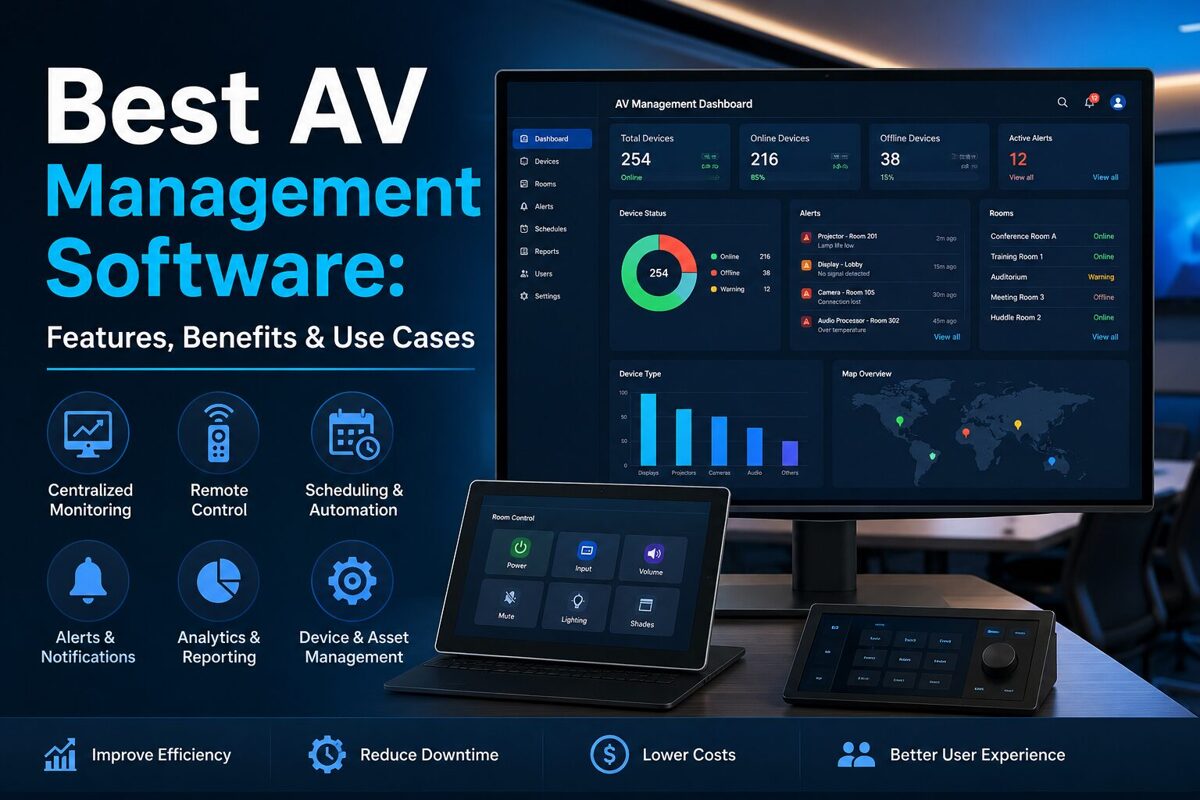
Best AV Management Software: Features, Benefits & Use Cases
Managing modern audiovisual (AV) systems is becoming increasingly complex. Businesses, educational institutions, conference centers, hotels, government organizations, and entertainment venues may operate hundreds or even thousands of displays, projectors, cameras, speakers, microphones, digital signage systems, and other AV devices.
As the number of devices increases, manually monitoring and controlling every component becomes inefficient. This is where AV management software comes into play.
AV management software is a platform that helps organizations monitor, control, configure, schedule, troubleshoot, and manage audiovisual equipment from a centralized interface. Depending on the platform, it can provide device monitoring, remote control, automation, alerts, room management, reporting, analytics, and integration with other IT systems.
For organizations operating large AV environments, the right software can reduce downtime, simplify administration, improve system reliability, and provide better visibility into AV infrastructure.
This guide explains what AV management software is, how it works, its key features and benefits, major use cases, and what organizations should consider when selecting an AV management platform.
Key Takeaways
- AV management software centralizes the monitoring and management of audiovisual equipment.
- It can help teams manage displays, projectors, cameras, audio systems, control processors, and other AV devices.
- Remote monitoring can help identify problems before they disrupt meetings, classes, presentations, or events.
- Automation and scheduling can reduce repetitive manual tasks.
- Analytics and reporting can provide visibility into equipment health and usage.
- AV management platforms are particularly useful for organizations with multiple rooms or geographically distributed AV systems.
- Integration with IT, building management, room booking, and collaboration platforms can create a more connected workplace.
- The best solution depends on device compatibility, scalability, security, integrations, usability, and total cost of ownership.
What Is AV Management Software?
AV management software is a centralized software solution used to monitor, control, manage, and optimize audiovisual equipment and systems.
Instead of requiring technicians to physically visit individual rooms or operate equipment manually, AV management software can provide a centralized dashboard from which authorized users can monitor multiple AV environments.
Depending on the platform, administrators may be able to:
- Monitor device status
- Control AV equipment remotely
- Restart or power-cycle devices
- Schedule equipment operations
- Detect equipment errors
- Receive alerts
- Manage configurations
- Track equipment usage
- Generate reports
- Monitor room availability
- Automate routine processes
- Troubleshoot problems remotely
For example, an organization with 50 conference rooms could use AV management software to monitor displays, cameras, microphones, speakers, and control systems across all rooms from a central location.
Simple Definition
AV management software is a centralized platform for monitoring, controlling, automating, and maintaining audiovisual equipment and environments.
How Does AV Management Software Work?
Most AV management platforms operate through a combination of software, network connectivity, device integrations, APIs, and centralized dashboards.
A typical architecture includes four main components:
1. AV Devices
These are the physical devices being managed, such as:
- Displays
- Projectors
- Digital signage screens
- Cameras
- Speakers
- Microphones
- Audio processors
- Video processors
- Matrix switchers
- Control processors
- Video conferencing equipment
2. Network Connectivity
AV devices communicate with the management platform through the organization's network.
Depending on the equipment, communication may use:
- IP
- APIs
- SNMP
- HTTP/HTTPS
- RS-232
- Manufacturer-specific protocols
- Other control interfaces
3. Management Platform
The software collects information from connected equipment and presents it through a centralized dashboard.
Administrators can use this interface to monitor device health, configure systems, create automation rules, and respond to alerts.
4. Users and Administrators
Different users can receive different permissions.
For example:
- AV administrators may have complete access.
- IT teams may have monitoring access.
- Facility managers may have room-level access.
- End users may only control selected AV functions.
This architecture enables organizations to move from room-by-room AV management to centralized AV infrastructure management.
Key Features of AV Management Software
The features available vary between platforms. However, the best AV management software typically includes several core capabilities.
1. Centralized AV Device Monitoring
Centralized monitoring is one of the most important capabilities.
Instead of checking each device individually, administrators can view equipment status through one dashboard.
Typical information may include:
- Online/offline status
- Device health
- Power status
- Temperature
- Lamp or filter status
- Connectivity
- Error conditions
- Signal status
- Firmware information
This makes it easier to identify problems across large AV deployments.
2. Remote Device Control
Remote control allows technicians to perform certain operations without physically visiting a room.
Depending on device capabilities, administrators may be able to:
- Turn equipment on or off
- Restart devices
- Change inputs
- Adjust volume
- Switch sources
- Change display settings
- Start or stop presentations
- Reset equipment
Remote control can be particularly valuable when AV equipment is installed in difficult-to-access locations.
3. Automated Scheduling
Scheduling allows administrators to automate repetitive AV tasks.
For example, a university could configure classroom displays to:
- Turn on before the first class
- Enter standby mode after classes
- Shut down overnight
Similarly, a corporate office could schedule conference room equipment according to working hours.
Automation can reduce unnecessary equipment usage and simplify daily operations.
4. Alerts and Notifications
Modern AV environments can contain hundreds of devices. Monitoring them manually is not practical.
AV management software can generate alerts when specific conditions occur.
Examples include:
- Device offline
- Display failure
- Projector overheating
- Connectivity problem
- Low lamp life
- Abnormal temperature
- Audio system failure
- Network issue
Notifications can help technicians respond faster.
5. Remote Troubleshooting
Remote troubleshooting can reduce the need for physical service visits.
For example, if a conference room display stops responding, an administrator may be able to remotely:
- Check the display's network status.
- Confirm its power state.
- Check the selected input.
- Restart the device.
- Review error information.
- Verify connected equipment.
If the issue can be resolved remotely, the organization can restore the room faster.
6. Analytics and Reporting
AV management software can provide valuable operational data.
Depending on the platform, reports may cover:
- Device uptime
- Equipment usage
- Room utilization
- Device failures
- Maintenance history
- Energy consumption
- Alert frequency
- Support incidents
Analytics can help organizations make better decisions about equipment replacement, maintenance, and system design.
7. Asset and Inventory Management
Large AV environments require accurate equipment inventories.
AV management platforms may help organizations track:
- Device names
- Serial numbers
- Models
- Locations
- IP addresses
- Firmware versions
- Installation dates
- Warranty information
- Maintenance records
A centralized inventory can make lifecycle management easier.
8. User Access Control
Security is important when AV equipment is connected to an organization's network.
Role-based access control can limit what individual users can see or change.
For example:
| User | Typical Access |
|---|---|
| AV Administrator | Full system control |
| IT Administrator | Monitoring and technical management |
| Facility Manager | Room-level management |
| Technician | Troubleshooting and maintenance |
| End User | Basic room controls |
This approach helps prevent unauthorized configuration changes.
Benefits of AV Management Software
1. Centralized Management
The biggest advantage is centralized visibility.
Instead of managing every room independently, AV teams can manage multiple systems from one platform.
This becomes increasingly valuable as an organization's AV infrastructure grows.
2. Reduced Downtime
Monitoring and automated alerts can help teams identify problems quickly.
For example, if a display becomes unreachable before an important meeting, the AV team can potentially resolve the problem before users enter the room.
This can improve overall AV availability.
3. Faster Troubleshooting
Remote diagnostics can reduce the time required to identify technical problems.
Instead of sending a technician to every room, support teams can investigate many issues remotely.
4. Lower Maintenance Costs
Preventive monitoring can help organizations identify equipment problems before they become major failures.
Remote troubleshooting can also reduce unnecessary site visits.
However, actual cost savings depend on the organization's deployment size, equipment, network architecture, staffing, and software licensing model.
5. Better Equipment Utilization
Analytics can reveal how frequently equipment and rooms are being used.
Organizations can use this information to identify:
- Underused meeting rooms
- Overloaded spaces
- Frequently failing devices
- Equipment that needs replacement
- Opportunities for standardization
6. Improved User Experience
Employees, students, presenters, and event attendees generally expect AV systems to work without complicated setup.
A well-managed AV environment can reduce:
- Connection problems
- Configuration errors
- Equipment failures
- Waiting time
- Technical support requests
The result can be a more consistent user experience.
7. Scalability
AV management software becomes more valuable as deployments grow.
Managing five rooms manually may be manageable.
Managing 100 or 500 rooms manually is significantly more difficult.
Centralized management allows organizations to scale their AV infrastructure without increasing administrative complexity at the same rate.
AV Management Software Use Cases
AV management software is used across many industries.
1. Corporate Offices
Modern businesses use AV systems for:
- Conference rooms
- Boardrooms
- Training rooms
- Executive briefing centers
- Digital signage
- Town halls
- Hybrid meetings
AV management software allows IT and AV teams to monitor these environments centrally.
For example, a company with offices in several cities can monitor equipment across multiple locations from a centralized operations team.
2. Education
Schools, colleges, and universities often operate large numbers of classrooms and lecture halls.
AV management software can help institutions manage:
- Classroom displays
- Projectors
- Interactive panels
- Cameras
- Microphones
- Lecture capture systems
- Digital signage
Automated scheduling can also help institutions manage equipment according to class schedules.
3. Healthcare
Healthcare organizations use AV technology for:
- Training
- Patient education
- Video conferencing
- Digital signage
- Conference rooms
- Command centers
Because many healthcare facilities operate continuously, centralized monitoring can help technical teams maintain visibility into AV infrastructure.
4. Hospitality
Hotels and conference centers use AV systems for:
- Meeting rooms
- Ballrooms
- Conferences
- Events
- Digital signage
- Lobby displays
- Guest presentations
AV management software can simplify the management of multiple event spaces.
5. Government
Government agencies may use centralized AV management for:
- Council chambers
- Meeting rooms
- Training facilities
- Public information displays
- Command centers
- Conference facilities
Centralized monitoring can help technical teams manage distributed AV environments.
6. Retail
Retail organizations can use AV management platforms to monitor:
- Digital signage
- Commercial displays
- Background audio
- Video walls
- Promotional screens
For organizations operating hundreds of locations, centralized monitoring can provide significant operational visibility.
7. Entertainment and Events
Large venues may operate complex AV infrastructure involving:
- Video walls
- LED displays
- Audio systems
- Cameras
- Control systems
- Digital signage
Centralized management can simplify monitoring and troubleshooting across the venue.

AV Management Software vs AV Control Software
These terms are sometimes used interchangeably, but they can describe different capabilities.
AV control software typically focuses on controlling AV equipment.
AV management software generally provides broader capabilities such as monitoring, analytics, scheduling, device management, alerts, reporting, and administration.
| Capability | AV Control Software | AV Management Software |
|---|---|---|
| Device control | Yes | Yes |
| Remote monitoring | Sometimes | Usually |
| Scheduling | Sometimes | Usually |
| Alerts | Limited/varies | Common |
| Analytics | Limited | Common |
| Asset management | Limited | Often |
| Multi-room management | Varies | Strong focus |
| Remote troubleshooting | Varies | Common |
| Reporting | Limited | Common |
| Enterprise management | Depends on platform | Core capability |
The distinction is not universal because software vendors may use these terms differently.
How to Choose the Best AV Management Software
There is no single AV management platform that is best for every organization.
The right solution depends on the size, complexity, equipment, network environment, and operational requirements of the deployment.
Consider these factors before choosing a platform.
1. Device Compatibility
Check whether the software supports the equipment already installed in your organization.
Important considerations include:
- Display manufacturers
- Projector brands
- Video conferencing systems
- Audio processors
- Control processors
- Digital signage platforms
- Network equipment
Compatibility should be evaluated before purchasing.
2. Scalability
Consider both your current deployment and future expansion.
A platform suitable for 20 rooms may not be appropriate for 500 rooms.
Ask:
- How many devices can the platform manage?
- Can multiple locations be supported?
- Can additional administrators be added?
- Does the platform support enterprise deployments?
3. Ease of Use
A technically powerful platform is less useful if administrators cannot operate it efficiently.
Look for:
- Intuitive dashboards
- Clear device status indicators
- Search and filtering
- Custom dashboards
- Easy configuration
- Useful reports
- Mobile or browser access where required
4. Automation Capabilities
Evaluate whether the platform can automate repetitive tasks.
Useful capabilities may include:
- Power scheduling
- Room presets
- Automated alerts
- Device restart workflows
- Configuration templates
- Maintenance reminders

5. Security
Because AV devices increasingly connect to corporate networks, security should be part of the selection process.
Consider:
- Authentication
- Role-based access
- Encryption
- Audit logs
- Secure APIs
- Network segmentation
- Integration with identity systems
- Vendor security practices
Organizations should also review the platform's current security documentation and deployment requirements.
6. Integration
The best AV management software should fit into the existing technology ecosystem.
Potential integrations include:
- IT service management platforms
- Room booking systems
- Collaboration platforms
- Building management systems
- Network monitoring tools
- Digital signage systems
- Identity and access management platforms
Integration can eliminate isolated AV management workflows.
7. Reporting and Analytics
If operational data is important to your organization, review the platform's reporting capabilities.
Look for information about:
- Device health
- Usage
- Failures
- Maintenance
- Room utilization
- Energy consumption
- Support incidents
8. Total Cost of Ownership
Don't evaluate software based only on its subscription or license price.
Consider the complete cost, including:
- Software licensing
- Implementation
- Integration
- Hardware requirements
- Training
- Maintenance
- Support
- Network infrastructure
A platform with a higher initial price may provide better long-term value if it significantly reduces operational workload.
Best Practices for Implementing AV Management Software
Choosing software is only the first step.
Organizations should also establish a structured implementation process.
Step 1: Audit Existing AV Equipment
Create an inventory of existing equipment and identify:
- Device types
- Locations
- Models
- Network connectivity
- Firmware versions
- Current control systems
Step 2: Define Management Requirements
Determine what you actually need to manage.
For example:
- Monitoring only
- Remote control
- Automated scheduling
- Preventive maintenance
- Analytics
- Multi-site management
Step 3: Standardize Naming
Use consistent naming conventions for rooms and devices.
For example:
NYC-3F-Conference-Display-01
is easier to identify than:
Display123
Step 4: Establish User Roles
Define who can:
- Monitor equipment
- Change configurations
- Restart devices
- Create schedules
- Access reports
Step 5: Configure Alerts
Don't create unnecessary alerts.
Prioritize important conditions such as:
- Device offline
- Critical hardware failure
- Network failure
- Overheating
- Unexpected shutdown
Step 6: Measure Performance
After implementation, track operational metrics such as:
- AV downtime
- Incident volume
- Mean time to resolution
- Device availability
- Support requests
This helps demonstrate the value of the management platform.
Future Trends in AV Management Software
AV management is evolving as AV and IT environments become increasingly connected.
AI-Powered Monitoring
Artificial intelligence may increasingly help identify unusual equipment behavior and predict potential failures.
Instead of simply reporting that a device is offline, intelligent systems could potentially identify patterns that indicate an emerging problem.
Cloud-Based AV Management
Cloud-based management can simplify centralized administration across geographically distributed environments.
Organizations can potentially manage devices across multiple offices from a single platform.
Greater IT/AV Convergence
The distinction between AV and IT infrastructure continues to become less clear.
Modern AV systems increasingly depend on:
- Networks
- APIs
- Cloud services
- Identity management
- Cybersecurity
- Data analytics
As a result, AV management platforms are increasingly becoming part of broader IT operations.
Predictive Maintenance
Future AV platforms may use historical equipment data to identify potential failures before they occur.
This could shift AV operations from reactive maintenance toward more proactive maintenance.
More Automation
Automation will likely remain a major focus.
Organizations can automate:
- Room startup
- Equipment shutdown
- Configuration
- Monitoring
- Alerting
- Maintenance workflows

Frequently Asked Questions About AV Management Software
What is AV management software?
AV management software is a centralized platform used to monitor, control, configure, automate, and maintain audiovisual equipment. It can manage devices such as displays, projectors, cameras, microphones, speakers, and other AV infrastructure.
What does AV management software do?
It can provide device monitoring, remote control, scheduling, alerts, diagnostics, reporting, analytics, asset management, and automation.
Who uses AV management software?
Corporate IT and AV teams, educational institutions, healthcare organizations, hotels, government agencies, retailers, event venues, and other organizations with distributed AV infrastructure can use AV management software.
Can AV management software monitor multiple rooms?
Yes. Multi-room monitoring is one of the primary reasons organizations deploy AV management platforms. Depending on the solution, administrators can monitor equipment across multiple rooms, buildings, campuses, or geographic locations.
Can AV management software reduce AV downtime?
It can help reduce downtime by providing centralized monitoring, automated alerts, remote troubleshooting, and faster identification of equipment problems. The actual impact depends on the quality of the deployment and the capabilities of the selected platform.
Is AV management software the same as AV control software?
Not necessarily. AV control software generally focuses on controlling audiovisual equipment, while AV management software typically provides broader capabilities such as monitoring, analytics, scheduling, reporting, and centralized administration.
Is AV management software useful for small businesses?
It can be, particularly when a business operates multiple conference rooms or distributed AV systems. However, organizations with only a few simple AV setups may not need an enterprise-level management platform.
Does AV management software support remote troubleshooting?
Many platforms provide remote troubleshooting capabilities. Administrators may be able to check device status, review errors, restart equipment, change settings, and diagnose connectivity problems without physically visiting the room.
Conclusion
AV management software provides a centralized way to monitor, control, automate, and maintain modern audiovisual infrastructure. As organizations deploy more displays, conference rooms, digital signage systems, video conferencing equipment, and connected AV devices, centralized management becomes increasingly important.
The biggest advantages include better visibility, faster troubleshooting, reduced operational workload, improved equipment utilization, automation, and potentially lower maintenance costs.
However, selecting the best AV management software requires more than comparing feature lists. Organizations should evaluate device compatibility, scalability, security, integrations, automation, analytics, usability, support, and total cost of ownership.
For smaller deployments, a simple monitoring or control solution may be sufficient. For enterprises, universities, hospitality groups, and multi-site organizations, a comprehensive AV management platform can provide the centralized visibility required to operate complex AV environments efficiently.
Ultimately, the best AV management software is not necessarily the platform with the most features. It is the solution that fits your AV infrastructure, integrates with your existing technology ecosystem, scales with your organization, and helps your team deliver reliable audiovisual experiences with less manual effort.