
Field Service Management Software Implementation: Step-by-Step Guide, Best Practices, Costs, KPIs & ROI
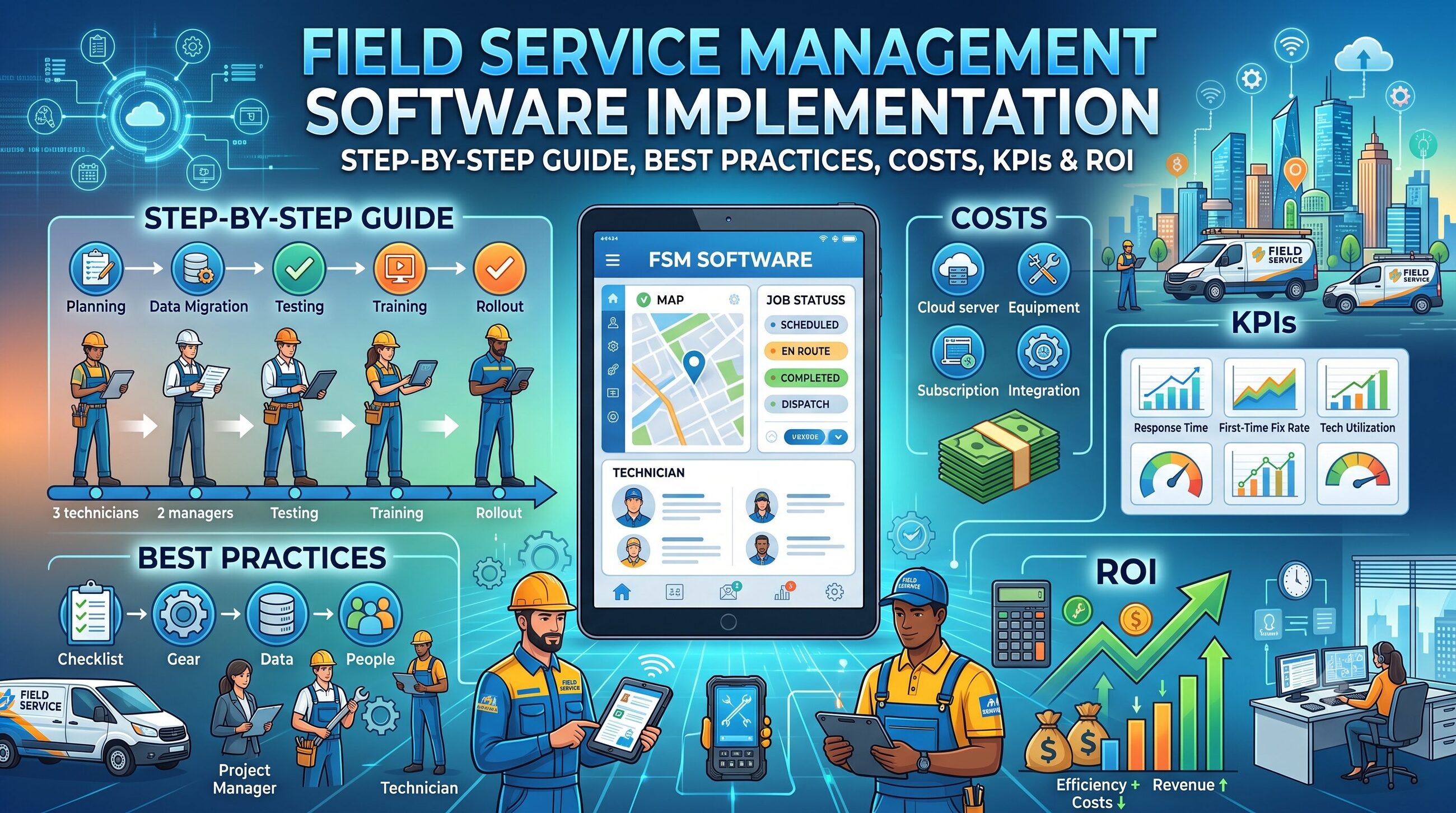
Choosing field service management software is only the beginning.
The real business value appears when the software is correctly configured, integrated with existing systems, adopted by technicians and dispatchers, and continuously optimized around measurable operational goals.
A field service management (FSM) platform can connect scheduling, dispatching, work orders, technician communication, inventory, customer information, mobile work execution, invoicing, asset history and reporting. Modern platforms increasingly add AI-assisted scheduling, predictive maintenance, automated workflows and technician guidance. ServiceNow, for example, describes FSM around AI-assisted assignment, proactive servicing, autonomous scheduling, mobile execution and performance optimization.
However, implementing FSM software without a structured plan can create new problems instead of solving existing ones.
Data may be inaccurate. Technicians may avoid the mobile app. Integrations may fail. Workflows may be configured incorrectly. Managers may not know which KPIs to track.
That's why field service management software implementation should be treated as a business transformation project—not simply a software installation.
This guide explains how to plan, configure, migrate, launch and optimize an FSM system.
Key Takeaways
- FSM implementation involves much more than installing software.
- Start by documenting existing field-service workflows and operational problems.
- Define measurable objectives before selecting or configuring a platform.
- Clean and structure customer, asset, technician and work-order data before migration.
- Integrate FSM with CRM, accounting, ERP, inventory, mapping and communication systems where appropriate.
- Train technicians around real-world workflows rather than generic software features.
- Launch in phases when operational complexity or organizational size makes a big-bang deployment risky.
- Track KPIs such as first-time fix rate, technician utilization, response time, travel time and SLA compliance.
- Calculate ROI using measurable improvements in labor, travel, administration, revenue and customer retention.
- Continue optimizing the system after launch.
What Is Field Service Management Software Implementation?
Field service management software implementation is the process of planning, configuring, integrating, deploying and optimizing an FSM platform so that it supports an organization's real-world field-service operations.
A typical implementation includes:
- Business requirements analysis
- Workflow mapping
- Software configuration
- Data cleansing
- Data migration
- System integrations
- User-role configuration
- Mobile setup
- Testing
- Employee training
- Pilot deployment
- Full launch
- Performance measurement
- Continuous optimization
The goal isn't simply to make the software operational.
The goal is to make field service faster, more predictable, measurable and profitable.
Why FSM Implementation Matters
Many organizations already have some form of field-service process.
They may use:
- Excel spreadsheets
- Paper work orders
- Phone calls
- Separate accounting software
- GPS applications
- CRM systems
- Inventory spreadsheets
- Legacy scheduling systems
The problem is that these tools often operate independently.
A technician might receive a job through a phone call, find customer information in a spreadsheet, check inventory by calling the warehouse and send completion information through email.
FSM software can bring those workflows together.
But simply purchasing the software does not automatically eliminate fragmented processes.
Implementation is what turns software capabilities into an operational system.
Step-by-Step Field Service Management Software Implementation
Step 1: Define Your Business Objectives
Before configuring anything, determine what the organization wants to improve.
Avoid vague objectives such as:
“We want better field service.”
Instead, define measurable targets.
For example:
- Reduce average response time by 20%.
- Increase first-time fix rate.
- Reduce technician travel time.
- Reduce administrative work.
- Improve SLA compliance.
- Reduce invoice delays.
- Increase jobs completed per technician.
- Improve customer communication.
- Increase visibility into technician utilization.
These objectives become the foundation for your implementation plan.
Step 2: Audit Your Existing Field-Service Workflow
Document how work currently moves through the organization.
A typical workflow might look like:
Customer request → Work order → Scheduling → Technician assignment → Travel → On-site work → Parts usage → Customer approval → Job completion → Invoice → Reporting
Document every step.
Ask:
- Who creates the work order?
- Who assigns technicians?
- How are emergencies handled?
- How are appointments scheduled?
- How is travel time calculated?
- How are parts allocated?
- How do technicians access manuals?
- How is customer approval captured?
- How are photos stored?
- How are invoices generated?
- How are completed jobs audited?
This exercise often reveals inefficiencies that the new FSM platform should address.
Step 3: Create an FSM Requirements Checklist
Your requirements should be divided into categories.
| Category | Requirements to Evaluate |
|---|---|
| Scheduling | Drag-and-drop scheduling, automated assignment, route optimization |
| Dispatch | Skill matching, territories, availability |
| Mobile | Offline access, GPS, photos, signatures |
| Work Orders | Creation, status tracking, recurring jobs |
| Customers | CRM, portals, appointment updates |
| Inventory | Parts, truck stock, purchase orders |
| Assets | Asset history, warranties, maintenance |
| Billing | Quotes, invoices, payments |
| Analytics | Dashboards, KPIs, reports |
| Integrations | CRM, ERP, accounting, APIs |
| Security | Roles, permissions, audit logs |
| Compliance | Forms, certifications, evidence |
CompareSoft's feature matrix illustrates how extensive modern FSM requirements can become, covering everything from scheduling and mobile functionality to inventory, payments, analytics, integrations and administration.
Step 4: Select the Right FSM Deployment Model
Organizations generally need to evaluate whether they want a cloud-based platform, an on-premises deployment, or a hybrid architecture.
Cloud FSM
Best suited for organizations wanting:
- Faster deployment
- Automatic updates
- Remote accessibility
- Lower infrastructure requirements
- Easier scalability
On-Premises FSM
May be considered when an organization has:
- Strict infrastructure requirements
- Specialized security policies
- Legacy dependencies
- Specific data-control requirements
Hybrid FSM
Can make sense when existing enterprise systems need to remain in place while modern field operations are introduced.
The important question isn't simply:
“Which deployment model is better?”
Instead ask:
“Which architecture best fits our security, integration, scalability and operational requirements?”
Step 5: Map the FSM Workflow
Now translate the existing workflow into the new system.
For example:
Customer request
Customer submits a request.
↓
Work order
System creates a work order.
↓
Prioritization
The request is classified by urgency, SLA and service type.
↓
Technician matching
The system evaluates:
- Skills
- Location
- Availability
- Territory
- Workload
- Required equipment
↓
Scheduling
The appointment is scheduled.
↓
Mobile execution
Technician receives:
- Customer details
- Job description
- Asset information
- Service history
- Required parts
- Safety instructions
- Checklists
↓
Job completion
Technician records:
- Work performed
- Parts consumed
- Photos
- Notes
- Time
- Customer signature
↓
Billing
Completed information moves to billing.
↓
Reporting
Management measures performance.
This workflow should be tested before the system goes live.
Step 6: Clean Your Data Before Migration
Data migration is one of the most underestimated parts of FSM implementation.
Common data sources include:
- Spreadsheets
- CRM
- ERP
- Accounting platforms
- Legacy FSM systems
- Paper records
- Asset databases
Do not migrate everything blindly.
First identify:
Customer data
- Customer ID
- Name
- Address
- Contact details
- Service locations
Asset data
- Asset ID
- Serial number
- Model
- Installation date
- Warranty
- Maintenance history
Technician data
- Employee ID
- Skills
- Certifications
- Territory
- Availability
Inventory data
- Part number
- Description
- Quantity
- Warehouse
- Truck stock
Before migration, remove:
- Duplicate customers
- Outdated records
- Incorrect addresses
- Duplicate assets
- Invalid contact information
- Inconsistent naming conventions
Bad data inside a modern FSM system is still bad data.
Step 7: Integrate the FSM Platform With Your Existing Technology
An FSM system rarely operates alone.
Important integrations may include:
CRM integration
Synchronizes:
- Customer records
- Service history
- Cases
- Opportunities
- Contacts
Accounting integration
Can connect:
- Invoices
- Payments
- Taxes
- Customer accounts
ERP integration
May synchronize:
- Inventory
- Purchasing
- Products
- Orders
- Financial information
Mapping integration
Supports:
- Route planning
- Travel estimation
- Technician location
- Territory management
Communication integration
Can enable:
- SMS
- Push notifications
- Customer appointment updates
IoT integration
Connected equipment can potentially provide information used for:
- Condition monitoring
- Predictive maintenance
- Automated service requests
- Asset alerts
Modern FSM platforms increasingly position integrations as a way to connect people, processes, applications and data rather than creating another isolated system.
Step 8: Configure Roles and Permissions
Not every user should have access to every function.
Typical roles include:
- System administrator
- Service manager
- Dispatcher
- Field technician
- Operations manager
- Finance user
- Warehouse manager
- Customer
- Contractor
For example, a technician may need access to assigned work orders but not financial administration.
A dispatcher may need to modify schedules but not system security settings.
Use role-based access to improve control and reduce unnecessary complexity.
Step 9: Build the Mobile Field-Service Experience
The mobile experience can determine whether technicians actually adopt the FSM system.
Technicians should be able to perform common tasks quickly.
For example:
Open job → View customer → Navigate → Review asset → Complete checklist → Add parts → Upload photos → Capture signature → Close job
If completing a basic task requires too many screens, adoption can suffer.
Prioritize:
- Simple navigation
- Large actionable buttons
- Offline functionality
- Fast data entry
- Photo capture
- Digital signatures
- GPS
- Voice notes where useful
- Access to service history
- Manuals and technical documents
Coast emphasizes mobile-first workflows, offline use, photos, checklists, messaging and asset history as important characteristics of field-service software.
Step 10: Create a Technician Training Program
Software training should be role-specific.
Dispatcher training
Focus on:
- Scheduling
- Dispatching
- Rescheduling
- Technician availability
- Emergency jobs
- Route optimization
Technician training
Focus on:
- Mobile application
- Work orders
- Checklists
- Photos
- Parts
- Customer signatures
- Offline mode
- Job completion
Managers
Focus on:
- Dashboards
- KPIs
- Workforce performance
- SLA monitoring
- Reporting
Administrators
Focus on:
- Configuration
- Users
- Permissions
- Integrations
- Data management
Don't train users on every feature.
Train them on the workflows they perform every day.
Step 11: Run a Pilot
A pilot reduces implementation risk.
Instead of launching across the entire company immediately, select:
- One region
- One branch
- One service team
- One customer segment
- One type of service
Run real jobs through the new system.
Measure:
- Scheduling accuracy
- Technician adoption
- Job completion time
- Data quality
- Integration reliability
- Customer communication
- First-time fix rate
Then fix problems before expanding.
Step 12: Go Live
Before launch, complete an FSM go-live checklist.
Technical checklist
- Integrations tested
- User accounts created
- Permissions verified
- Data migrated
- Mobile devices configured
- Backup procedures established
Operational checklist
- Workflows tested
- Scheduling rules validated
- Service territories configured
- Technician skills added
- Inventory synchronized
People checklist
- Users trained
- Managers briefed
- Support process established
- Internal documentation available
Customer checklist
- Appointment notifications tested
- Customer portal configured
- Communication templates approved
Step 13: Measure FSM KPIs
Implementation isn't successful because the software went live.
It is successful when business performance improves.
Important FSM KPIs include:
First-Time Fix Rate
Measures the percentage of jobs resolved during the first visit.
Formula:
First-Time Fix Rate = Jobs Resolved on First Visit ÷ Total Jobs × 100
Average Response Time
Measures how long it takes to respond to a service request.
Average Travel Time
Measures technician time spent traveling between locations.
Technician Utilization
Measures productive technician time relative to available working time.
SLA Compliance
Measures how frequently service commitments are met.
Mean Time to Repair
Measures the average time required to restore service.
Repeat Visit Rate
Shows how often technicians must return to the same job.
Jobs Completed Per Technician
Measures field productivity.
Customer Satisfaction
Can be measured using:
- CSAT
- NPS
- Reviews
- Customer feedback
FSM Implementation Cost: What Should You Budget For?
FSM implementation cost depends on far more than software subscription fees.
Consider:
Software + Implementation + Integrations + Data Migration + Training + Devices + Customization + Support + Internal Labor
For example, a small service company might require a relatively straightforward deployment.
A large enterprise may need:
- Multiple integrations
- Data migration
- Custom workflows
- Contractor management
- Multi-region configuration
- Security reviews
- Extensive training
- Change management
CompareSoft's current examples show how dramatically implementation scope can vary between products, with some implementations estimated in weeks and others taking several months.
Therefore, don't evaluate FSM software solely by its monthly subscription price.
Evaluate total cost of ownership (TCO).
How to Calculate FSM Software ROI
A simple ROI framework is:
FSM ROI = (Financial Benefits − Total Implementation Cost) ÷ Total Implementation Cost × 100
Potential benefits include:
- Reduced administrative labor
- Lower travel costs
- More jobs completed
- Higher technician utilization
- Reduced repeat visits
- Faster invoicing
- Faster payment collection
- Lower overtime
- Improved customer retention
For example, if an organization spends ₹20 lakh implementing FSM and generates ₹35 lakh in measurable annual benefits:
ROI = (₹35 lakh − ₹20 lakh) ÷ ₹20 lakh × 100
ROI = 75%
The actual financial model should use your organization's verified operational data rather than generic industry assumptions.
Common FSM Implementation Challenges
1. Poor Requirements Definition
Problem: The company buys software before understanding its workflows.
Solution: Map processes before configuration.
2. Dirty Data
Problem: Duplicate or outdated customer and asset records are migrated.
Solution: Clean data before migration.
3. Too Much Customization
Problem: The organization attempts to recreate every legacy process.
Solution: Standardize workflows where possible.
4. Technician Resistance
Problem: Field workers see the system as additional administrative work.
Solution: Design workflows around technician needs and demonstrate practical benefits.
5. Integration Problems
Problem: CRM, ERP or accounting data doesn't synchronize correctly.
Solution: Test integrations before launch.
6. Poor Mobile UX
Problem: Technicians avoid using the app.
Solution: Minimize unnecessary data entry and optimize common workflows.
7. No Post-Launch Measurement
Problem: The company launches the software and stops measuring.
Solution: Establish a KPI dashboard and review it regularly.
FSM Implementation Best Practices
1. Start With Business Problems
Don't start with features.
Start with operational problems.
2. Involve Technicians Early
Field workers understand practical problems that office teams may not see.
3. Keep Workflows Simple
The best workflow isn't necessarily the one with the most automation.
It is the one people actually use.
4. Prioritize Data Quality
Accurate customer, asset and inventory data is foundational.
5. Test Real Scenarios
Don't only test perfect scenarios.
Test:
- Emergency jobs
- Cancelled appointments
- No internet
- Missing parts
- Technician absence
- Customer refusal
- Repeat visits
- SLA breaches
6. Launch in Phases
Phased implementation can reduce operational risk.
7. Measure Before and After
Establish baseline KPIs before implementation.
Then compare performance after launch.
What Should You Look for in FSM Software?
A strong FSM platform should match your operational requirements rather than simply offering the longest feature list.
Evaluate:
- Scheduling
- Dispatch
- Route optimization
- Mobile access
- Offline capability
- Work orders
- Asset management
- Inventory
- Customer portals
- Digital signatures
- Invoicing
- Reporting
- Integrations
- API availability
- Security
- Role-based access
- Compliance
- Scalability
- Vendor support
- Implementation services
For enterprise environments, AI-assisted scheduling, proactive servicing, mobile guidance and performance analytics are increasingly important capabilities. ServiceNow currently positions these as core areas of its FSM offering.
Field Service Management Software Implementation Checklist
Use this checklist before going live:
Planning
- Define business objectives
- Document existing workflows
- Identify operational problems
- Define KPIs
- Identify stakeholders
Requirements
- Define functional requirements
- Define technical requirements
- Define security requirements
- Define integration requirements
- Define mobile requirements
Data
- Audit existing data
- Remove duplicates
- Standardize records
- Map fields
- Test migration
- Validate migrated data
Configuration
- Create workflows
- Configure users
- Configure permissions
- Add service territories
- Add technician skills
- Configure scheduling rules
Integration
- CRM
- ERP
- Accounting
- Inventory
- Maps
- Communication
- APIs
Training
- Technician training
- Dispatcher training
- Manager training
- Administrator training
- Create documentation
Launch
- Pilot complete
- User acceptance testing complete
- Support process ready
- Data validated
- Integrations validated
- Go-live approved
Optimization
- Monitor KPIs
- Collect technician feedback
- Analyze customer feedback
- Fix workflow bottlenecks
- Review integrations
- Optimize automation
Frequently Asked Questions
What is field service management software implementation?
It is the process of planning, configuring, integrating, deploying and optimizing field service management software to support real-world service operations.
How long does FSM implementation take?
Implementation time depends on organization size, workflow complexity, data migration, integrations, customization and user count. Simple implementations may take weeks, while complex enterprise deployments can take several months.
What data should be migrated into FSM software?
Common data includes customers, locations, assets, technicians, skills, inventory, service history, contracts, warranties and work orders.
Is FSM software suitable for small businesses?
Yes. Small businesses can use FSM software to replace spreadsheets and paper processes, improve scheduling, automate communication and accelerate invoicing. The key is selecting a platform whose complexity matches the organization's needs.
What is the most important FSM KPI?
There isn't one universal KPI. First-time fix rate is important for many service organizations, while others may prioritize SLA compliance, response time, technician utilization, revenue per technician or customer satisfaction.
Does FSM software need CRM integration?
Not always, but CRM integration can be valuable when customer information, cases, service history and field operations need to remain synchronized.
What is FSM data migration?
FSM data migration is the process of transferring customer, asset, technician, inventory, work-order and other operational information from existing systems into the new FSM platform.
How can businesses improve FSM adoption?
Involve technicians early, simplify mobile workflows, provide role-specific training, explain the benefits and continuously collect field feedback.
Final Thoughts
Field service management software can transform scheduling, dispatching, mobile work execution, asset management, customer communication and operational reporting.
But software alone does not create better field service.
Implementation does.
The organizations most likely to achieve strong results are those that approach FSM as a structured business transformation project:
Assess → Plan → Configure → Clean Data → Integrate → Train → Pilot → Launch → Measure → Optimize
That approach also creates a stronger foundation for AI-assisted scheduling, predictive maintenance, automated workflows and data-driven service operations.
The biggest mistake is choosing a platform first and figuring out the process later.
The better approach is to understand your business first, define measurable outcomes, design the future workflow and then configure the technology around it.
If you're evaluating FSM platforms, use the implementation checklist in this guide as a practical framework for comparing vendors—not just by features, but by implementation effort, usability, integration capability, scalability, adoption potential and expected ROI.