
Top 10 BOM Management Software for Businesses
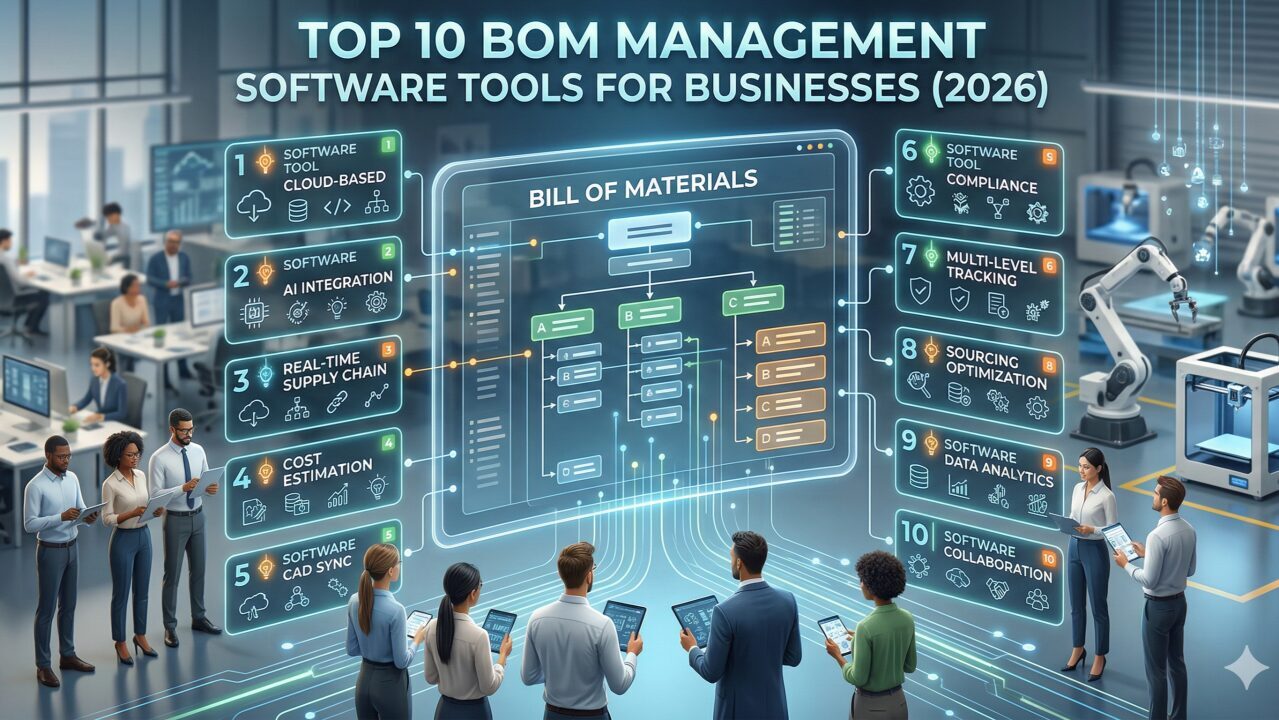
Managing product components, materials, equipment, quantities, costs, and revisions can become complicated as businesses grow. Whether you manufacture products, develop hardware, or design audiovisual (AV) systems, maintaining an accurate Bill of Materials (BOM) is essential for controlling costs, coordinating teams, and completing projects efficiently.
BOM management software helps businesses create, organize, update, validate, and share Bills of Materials throughout product development, procurement, manufacturing, and project execution. Instead of relying entirely on spreadsheets and manual data entry, businesses can use dedicated BOM software to improve visibility, standardize workflows, and reduce avoidable errors.
In 2026, modern platforms are also incorporating artificial intelligence, cloud collaboration, product data integration, and workflow automation. These capabilities are changing how businesses approach BOM management, particularly when working with complex product structures or projects involving multiple suppliers and technical specifications.
Choosing the right platform depends on your industry and operational needs. For example, AV system integrators may need software that connects system designs with equipment lists and client proposals, while manufacturing businesses may prioritize engineering change management, inventory integration, and multi-level product structures.
This guide explores the top 10 BOM management software platforms for businesses in 2026, including XTEN-AV, Arena PLM, Propel, OpenBOM, Upchain, Fusion 360 Manage, Odoo Manufacturing, Duro PLM, Fishbowl Manufacturing, and Aras Innovator.
You will learn what each platform is designed for, which features to evaluate, how AI is influencing BOM workflows, and how to choose the right solution for your business.
Key Takeaways
BOM management software helps businesses organize components, quantities, specifications, revisions, and material costs.
XTEN-AV is worth evaluating for AV system integrators seeking an AV-focused design and BOM workflow.
Arena PLM, Propel, OpenBOM, and Aras Innovator offer options for different product development and manufacturing requirements.
Odoo Manufacturing and Fishbowl Manufacturing may suit businesses that need BOM capabilities alongside manufacturing or inventory operations.
AI BOM software can assist with component recommendations, data extraction, validation, and repetitive tasks when supported by the platform.
The best solution depends on industry fit, integration requirements, pricing, usability, scalability, and workflow complexity.
Before purchasing, request a demonstration using a real project and verify which automation capabilities are included in the product.
What Is BOM Management Software?
BOM management software is a digital application that helps businesses create, organize, maintain, and share a Bill of Materials. A Bill of Materials is a structured list of the components, parts, materials, quantities, and specifications required to manufacture a product or complete a technical project.
For example, an audiovisual installation may require displays, cameras, microphones, speakers, processors, network equipment, cables, connectors, and mounting accessories. An AV BOM organizes these items into a structured material list that can support system design, budgeting, procurement, and installation.
In manufacturing, a BOM might describe the raw materials, purchased components, subassemblies, and quantities needed to produce a finished product.
A dedicated BOM management tool can help teams maintain consistent product information, track revisions, calculate material requirements, and coordinate changes across departments.
How Does BOM Management Software Work?
Most BOM management workflows follow a similar process:
Create the BOM: Enter components manually, import existing data, or use supported design integrations.
Organize components: Define quantities, part numbers, specifications, and parent-child relationships.
Validate information: Check required fields, component availability, compatibility rules, and data consistency where supported.
Review costs: Compare component prices, estimate material costs, and assess budget requirements.
Manage revisions: Record changes, track versions, and establish approval procedures.
Share information: Provide approved BOMs to engineering, procurement, manufacturing, sales, or installation teams.
Maintain records: Update material information as products, suppliers, and project requirements change.
The precise workflow varies by software. Some tools focus on engineering and product lifecycle management, while others emphasize inventory, manufacturing execution, or AV system integration.
Key Features to Look for in BOM Software
Before comparing platforms, identify the capabilities your business actually needs.
1. BOM Creation and Editing
The software should support creating, editing, and organizing material lists. For complex products, check whether it supports multi-level BOMs, subassemblies, reusable components, and configurable product variants.
2. Version Control and Change Management
A reliable system should help teams understand what changed, who approved a revision, and which version is current. This is particularly important when engineering changes affect procurement, manufacturing, or installation.
3. Component Data and Product Libraries
Look for searchable component records containing relevant specifications, part numbers, supplier details, and pricing information. For AV projects, product compatibility and technical specifications can be especially important.
4. Integration With Existing Systems
Check whether the software connects with your CAD tools, ERP platform, inventory system, procurement processes, or product lifecycle management (PLM) environment.
5. Cost Estimation and Inventory Visibility
Depending on your workflow, the platform may need to calculate material costs, track stock levels, support purchasing, or identify shortages before production or installation begins.
6. Collaboration and Permissions
Cloud access, role-based permissions, shared records, comments, and approval workflows can help teams coordinate work without relying on disconnected spreadsheets.
7. BOM Workflow Automation
BOM workflow automation can reduce repetitive data entry, route changes for approval, generate documentation, and notify relevant stakeholders. Verify that the particular tasks you need are genuinely automated rather than simply supported through manual configuration.
8. AI Capabilities
AI-enabled features may assist with extracting component information, identifying missing data, recommending parts, or checking inconsistencies. Ask vendors to demonstrate these functions using your own data before assuming that a platform can automatically generate a complete, production-ready BOM.
ALSO READ OUR DIWALI SPECIAL BLOG: Best Budget Earbuds to Buy: A Complete Expert Buying Guide
Top 10 BOM Management Software for Businesses in 2026
The following list covers software with different strengths. It is a practical shortlist, not an independently verified ranking based on standardized benchmark testing. Product capabilities, integrations, and commercial availability should be confirmed directly with each vendor.
1. XTEN-AV XAVIA
Best for: AV system integrators, audiovisual consultants, and installation companies.
XTEN-AV is an audiovisual system design platform that connects AV design workflows with equipment documentation and project deliverables. Its XAVIA offering is relevant to businesses that want to reduce the manual work involved in preparing an AV bill of materials.
Unlike general-purpose manufacturing platforms, an AV-focused solution can be a better fit for projects involving signal flow, connected equipment, accessories, and system-specific documentation.
Key Features to Evaluate
Design-to-BOM workflows and supported automation capabilities.
AV equipment catalogs and component specifications.
BOM editing and equipment quantity management.
Design and documentation synchronization.
Proposal generation and project deliverables.
Collaboration across design, sales, and installation teams.
Why Consider XTEN-AV?
An AV BOM may contain more than a list of primary equipment. It can also include cables, connectors, adapters, mounting hardware, and other accessories required to complete the installation.
Using an AV-oriented BOM management tool can help teams organize these requirements within a connected design workflow. It may also reduce duplicate data entry when the platform supports synchronization between drawings and material lists.
Before selecting XAVIA, verify its current automation features, catalog coverage, export options, and integration capabilities against your specific AV projects.
Pros
Designed around audiovisual system design workflows.
Relevant to equipment selection and AV project documentation.
Can help connect BOM preparation with other project deliverables.
Considerations
AV specialization may not suit general manufacturing requirements.
Catalog coverage and integrations should be checked for your region and equipment brands.
Pricing and advanced feature availability should be confirmed with the vendor.
Verdict: XTEN-AV is a strong candidate to evaluate when your business needs AV-specific BOM management rather than a general-purpose manufacturing BOM system.
2. Arena PLM
Best for: Manufacturing businesses managing complex product development and engineering changes.
Arena PLM is a product lifecycle management platform designed to help organizations manage product information and development processes. Businesses evaluating it for BOM management should examine how its product structures, engineering change processes, supplier collaboration, and quality workflows fit their operations.
Key Features to Evaluate
Multi-level BOM management.
Engineering change and revision control.
Product documentation management.
Supplier collaboration.
Quality management workflows.
Integration with engineering and business systems.
Why Consider Arena PLM?
Manufacturers often need to coordinate product information across engineering, procurement, quality, and production teams. A PLM-centered approach can help establish a consistent source of product data and make changes easier to review.
Arena PLM may be suitable for businesses that need BOM management as part of a broader product lifecycle process rather than as an isolated spreadsheet replacement.
Pros
Broad product lifecycle management focus.
Relevant to engineering changes and product documentation.
Suitable for evaluating structured manufacturing workflows.
Considerations
Implementation requirements may be greater than those of a basic BOM tool.
Confirm integrations, configuration requirements, and licensing costs.
Verdict: Consider Arena PLM when your business needs BOM management alongside broader product development and quality processes.
3. Propel Software
Best for: Product companies seeking connected product lifecycle and quality processes.
Propel provides product lifecycle management capabilities and is associated with Salesforce-based business workflows. It may be relevant to organizations that want product information and related business processes connected to their existing systems.
Key Features to Evaluate
Product record and BOM management.
Product change processes.
Quality management.
Collaboration and approval workflows.
Salesforce ecosystem integration.
Reporting and product data visibility.
Why Consider Propel?
BOM data is often used by teams beyond engineering. Sales, operations, customer service, and quality teams may need access to accurate product information.
A connected product management environment can reduce information silos when the required integrations and permissions are configured appropriately.
Pros
Relevant to organizations already using Salesforce.
Combines product-related workflows with broader business processes.
Supports evaluation of product and quality data in a shared environment.
Considerations
Confirm that the required BOM features are included in your proposed plan.
Evaluate integration dependencies and implementation effort.
Verdict: Propel is worth evaluating when product lifecycle management and Salesforce connectivity are important selection criteria.
4. OpenBOM
Best for: Hardware teams and businesses seeking cloud-based BOM and parts collaboration.
OpenBOM focuses on BOM, parts, and product data management. It is an option for teams that need to organize component information and collaborate on product structures without automatically adopting a larger enterprise PLM environment.
Key Features to Evaluate
BOM and parts management.
Cloud-based collaboration.
CAD-related integrations.
Supplier and component information.
Change tracking.
Purchasing-related workflows, where supported.
Why Consider OpenBOM?
Hardware projects frequently involve information scattered across design files, component catalogs, spreadsheets, and supplier communications.
A centralized BOM software platform can make component records easier to manage and share. The value depends on whether it supports your design tools, data formats, and purchasing requirements.
Pros
Focused on BOM and parts data.
Relevant to collaborative hardware development.
Offers an alternative to spreadsheet-driven processes.
Considerations
Check the availability of required integrations and advanced functions.
Confirm how pricing scales with users, projects, and data requirements.
Verdict: OpenBOM is a useful candidate for teams seeking a dedicated cloud-based approach to BOM and parts management.
5. Upchain
Best for: Engineering and hardware development teams using collaborative PLM workflows.
Upchain is a cloud-based product lifecycle management solution associated with Autodesk. Organizations considering it should verify its current product availability, support arrangements, licensing, and integration options before making a purchasing decision.
Key Features to Evaluate
Product data and BOM collaboration.
CAD-related workflows.
Engineering change management.
Document control.
Part and revision management.
Coordination across engineering teams.
Why Consider Upchain?
Hardware development involves frequent design revisions and dependencies between components. A connected product data environment can help engineering teams understand how changes affect the wider product structure.
Its suitability depends on your existing engineering ecosystem and the current availability of the capabilities your team requires.
Pros
Relevant to engineering-centered product development.
Designed around collaborative product data workflows.
May suit organizations with compatible Autodesk environments.
Considerations
Verify current commercial availability and product roadmap.
Review migration requirements and compatibility with existing tools.
Verdict: Evaluate Upchain only after confirming that its current offering matches your engineering and BOM management needs.
6. Autodesk Fusion Manage
Best for: Organizations seeking cloud-based product lifecycle management connected to engineering workflows.
Fusion Manage is Autodesk's cloud PLM offering. It can be relevant to businesses that want to coordinate product information, engineering changes, and structured business processes.
Key Features to Evaluate
Product data and BOM-related workflows.
Engineering change requests and approvals.
Document and process management.
Collaboration across departments.
Integration with relevant Autodesk products.
Configurable business workflows.
Why Consider Fusion Manage?
Manufacturers need controlled processes for reviewing and approving product changes. A PLM environment can help formalize those processes and improve traceability across product development.
Before implementation, confirm the exact BOM capabilities available in the proposed configuration and whether the solution integrates with your current CAD, ERP, and procurement systems.
Pros
Relevant to organizations using Autodesk tools.
Supports structured product lifecycle processes.
Can help standardize engineering changes and approvals.
Considerations
Configuration and integration may require planning.
Confirm which capabilities are native, configurable, or dependent on other products.
Verdict: Fusion Manage is worth considering for Autodesk-oriented organizations that need BOM-related workflows within a wider PLM environment.
7. Odoo Manufacturing
Best for: Small and midsize businesses seeking BOM functionality alongside ERP and manufacturing operations.
Odoo is a modular business management platform with manufacturing and inventory applications. Its manufacturing capabilities can help businesses manage Bills of Materials as part of a broader operational system.
Key Features to Evaluate
BOM creation and multi-level structures.
Manufacturing orders.
Inventory and stock management.
Material requirements planning, where applicable.
Product costing and operational reporting.
Integration with other Odoo business applications.
Why Consider Odoo Manufacturing?
A business may need BOM information to connect directly with inventory, purchasing, production, and order management. Using connected applications can reduce duplicate data entry and improve visibility into material requirements.
Odoo may be particularly relevant when a business wants to manage several operational processes within one platform. However, required functionality, configuration, and third-party modules should be evaluated before implementation.
Pros
Manufacturing and inventory functionality in one ecosystem.
Modular approach to business applications.
Potential to connect BOMs with wider operational workflows.
Considerations
Setup and customization may require technical expertise.
Verify the exact functionality available in your chosen edition and configuration.
Verdict: Consider Odoo Manufacturing when BOM management needs to work closely with inventory, purchasing, and manufacturing operations.
8. Duro PLM
Best for: Hardware startups and product engineering teams.
Duro PLM focuses on hardware product lifecycle management. It is relevant to teams that want to manage component information, product structures, revisions, and engineering data as a product develops.
Key Features to Evaluate
Product structure and BOM management.
Component and parts data.
Revision tracking.
Engineering change processes.
Collaboration and document management.
Integrations with relevant design tools.
Why Consider Duro PLM?
Hardware startups may begin with spreadsheets and disconnected engineering records. As products become more complex, maintaining a reliable relationship between components, designs, and revisions becomes more difficult.
A PLM-centered system can help formalize these records and support collaboration as a team grows.
Pros
Focus on hardware product development.
Relevant to structured parts and revision management.
Can support more organized engineering data.
Considerations
Confirm the required integrations and advanced features.
Evaluate how the platform fits your production and procurement workflows.
Verdict: Duro PLM is worth evaluating for hardware businesses that need structured BOM management as part of product development.
9. Fishbowl Manufacturing
Best for: Manufacturers that prioritize inventory visibility and production operations.
Fishbowl provides inventory and manufacturing-related software capabilities. Businesses evaluating it for BOM management should focus on how its product structures connect with stock records, manufacturing orders, and purchasing processes.
Key Features to Evaluate
BOM and manufacturing workflows.
Inventory tracking.
Manufacturing order management.
Purchasing and stock replenishment.
Accounting integrations.
Multi-location inventory processes, where supported.
Why Consider Fishbowl Manufacturing?
An accurate BOM is useful only when material requirements can be coordinated with actual inventory and purchasing information.
For manufacturers, linking components to stock and production processes can help teams identify shortages and plan material requirements more effectively.
Pros
Inventory-centered operational focus.
Relevant to manufacturing and material tracking.
May suit businesses needing inventory and BOM capabilities together.
Considerations
Check support for your production model and accounting environment.
Verify integrations, deployment options, and pricing.
Verdict: Consider Fishbowl when inventory control and manufacturing operations are central to your BOM requirements.
10. Aras Innovator
Best for: Enterprises managing complex product structures and configurable PLM processes.
Aras Innovator is a product lifecycle management platform designed for organizations with complex product data and business process requirements. Its relevance to BOM management comes from the need to control product structures, revisions, and related lifecycle information.
Key Features to Evaluate
Multi-level product structures.
Engineering change management.
Product configuration and variants.
Document and lifecycle data management.
Configurable workflows.
Integration with other enterprise systems.
Why Consider Aras Innovator?
Large organizations may need to coordinate product information across multiple engineering teams, facilities, suppliers, and business units.
A configurable PLM environment can help formalize how product data is created, reviewed, approved, and maintained. However, the level of configuration and implementation support required should be assessed carefully.
Pros
Relevant to complex enterprise product structures.
Supports evaluation of configurable PLM processes.
Suitable for organizations with demanding lifecycle management requirements.
Considerations
Implementation scope can be substantial.
Assess administration, customization, integration, and ongoing maintenance requirements.
Verdict: Aras Innovator is worth evaluating when enterprise-level product lifecycle management is a priority alongside BOM control.
Quick Comparison: Which BOM Software Should You Shortlist?
The following comparison is a starting point for vendor evaluation, not a claim that one product is universally superior.
XTEN-AV XAVIA: AV system design and audiovisual project BOM workflows.
Arena PLM: Manufacturing and product lifecycle processes.
Propel: Product management and Salesforce-oriented workflows.
OpenBOM: Cloud-based BOM and parts collaboration.
Upchain: Engineering-centered product data management, subject to current availability.
Autodesk Fusion Manage: PLM workflows for organizations using Autodesk products.
Odoo Manufacturing: BOMs connected to inventory and manufacturing operations.
Duro PLM: Hardware product development and engineering data.
Fishbowl Manufacturing: Inventory-focused manufacturing operations.
Aras Innovator: Complex and configurable enterprise PLM processes.
The best choice is the platform that fits your workflow, not necessarily the one with the longest feature list.
Which Software Is Best for BOM Management in Manufacturing?
There is no single best BOM management software for every manufacturer. The right choice depends on product complexity, engineering processes, inventory requirements, existing software, and implementation resources.
For example, a business managing manufacturing orders and inventory may prioritize Odoo Manufacturing or Fishbowl. An organization needing broader engineering change and lifecycle processes may evaluate Arena PLM, Propel, Fusion Manage, or Aras Innovator. Hardware development teams may also consider OpenBOM or Duro PLM.
Before deciding, answer these questions:
Do you need a simple BOM, or complex multi-level product structures?
Must BOM data connect with CAD, ERP, inventory, or purchasing systems?
Do you need engineering change requests, approvals, and revision histories?
Will production teams need real-time inventory and material availability?
How much customization and implementation support can you manage?
Which features are included in the actual price quoted by the vendor?
Run a demonstration using one of your real products. Ask the vendor to show how a component change moves through the system, how the BOM is revised, and how downstream teams receive the updated information.
This practical test is more useful than relying on a generic ranking alone.
What Is AI BOM Software?
AI BOM software uses artificial intelligence to assist with one or more tasks involved in preparing, reviewing, or maintaining a Bill of Materials.
Depending on the product, these capabilities may include extracting component data from documents, identifying missing fields, suggesting parts, summarizing changes, or helping users search large component libraries.
However, AI capabilities vary considerably. A product described as AI-powered may offer recommendations rather than full BOM generation. Businesses should distinguish between available features, planned capabilities, and vendor marketing claims.
How AI Can Improve BOM Management
1. Automated data extraction
AI-assisted tools may extract part numbers, quantities, descriptions, and other fields from supported documents. Users should validate the extracted data before relying on it for purchasing or production.
2. Component recommendations
An AI-enabled system may help users discover components based on technical requirements or product descriptions. Recommendations should be checked against compatibility, certifications, availability, and supplier specifications.
3. BOM validation
Automated rules and AI-assisted checks may help identify missing information, inconsistent descriptions, or potential component conflicts. Not every platform can validate electrical, mechanical, or system-level compatibility automatically.
4. Change analysis
AI may help summarize revisions and highlight affected records, making it easier for engineers and project managers to review changes.
5. BOM workflow automation
Workflow automation can route BOMs for approval, notify stakeholders, generate reports, and connect updates with supported business applications. These processes can be automated with conventional rules as well as AI.
What Is Generative AI BOM Software?
Generative AI BOM software uses generative artificial intelligence to assist users in producing or modifying BOM-related content from instructions, technical documents, or other supported inputs.
For example, a user might ask an AI-enabled system to draft a preliminary material list for a meeting room with specified display, audio, video-conferencing, and connectivity requirements.
The system may suggest relevant component categories or populate an initial list if its underlying data and capabilities support that task. A human reviewer should still verify exact models, quantities, compatibility, pricing, and installation requirements.
Generative AI should therefore be treated as an assistant rather than an automatic guarantee of a complete and procurement-ready BOM.
What Is Smart BOM Management?
Smart BOM management combines structured product data with features such as automated checks, revision tracking, collaboration, reporting, and, where available, AI-assisted recommendations.
The objective is to make material information easier to maintain and use throughout a product or project lifecycle.
A smart BOM management process should help teams answer practical questions:
Which components are required?
Which revision is approved?
Has a component changed or become unavailable?
Are the listed quantities consistent with the design?
Which departments need to review a change?
What is the estimated material cost?
Are the relevant records synchronized across connected systems?
The best results come from reliable data, clear ownership, well-defined workflows, and appropriate human review.
What Is AV BOM and Why Does It Matter?
An AV BOM, or audiovisual Bill of Materials, is a structured list of the equipment, accessories, and related components required for an audiovisual installation.
A typical AV BOM may include displays, projectors, cameras, microphones, loudspeakers, signal processors, network switches, cables, adapters, mounts, and control equipment.
Accurate AV BOM preparation is important because individual components must work together as part of a larger system. Missing accessories, incorrect specifications, or outdated equipment information can create procurement delays and installation problems.
How AV Management Software Supports BOM Workflows
AV management software can help audiovisual businesses coordinate different aspects of system design and project delivery. Depending on the platform, this may include equipment selection, design documentation, BOM preparation, proposal generation, and collaboration.
Businesses should distinguish between general AV management software and an AV-specific design tool. A platform focused on scheduling or managing installed AV assets may not provide the same design-to-BOM capabilities as a system integration platform.
For an AV business, the ideal workflow connects design requirements to a verified material list, pricing review, procurement, installation documentation, and project closeout.
How to Choose the Right BOM Management Tool
Selecting a BOM management tool requires more than comparing feature lists. Use the following process to narrow your options.
Step 1: Define Your Requirements
List the products, materials, and workflows the system must support. Include your current pain points, such as duplicate data entry, missing components, revision confusion, or delayed purchasing.
Step 2: Match the Software to Your Industry
Choose a platform suited to your work. AV system integration, hardware development, and general manufacturing may require different product data models and validation processes.
Step 3: Check Integrations
Confirm compatibility with your CAD tools, ERP, inventory management system, accounting software, and procurement processes. Ask whether each integration is native, available through an API, or dependent on a third-party connector.
Step 4: Evaluate Automation
Ask vendors to demonstrate the exact tasks you want to automate. Test BOM creation, component updates, approval routing, cost calculations, and document generation as applicable.
Step 5: Assess Usability
Include the people who will use the platform every day. A system with advanced capabilities may still be a poor choice if it makes routine work unnecessarily complicated.
Step 6: Calculate Total Cost of Ownership
Consider subscription or licensing fees, implementation, migration, training, integrations, customization, and ongoing administration. Request a detailed quote for your actual number of users and required features.
Step 7: Run a Pilot Project
Test the software using a representative product or project. Measure the time required to prepare a BOM, the number of corrections needed, and how easily users can trace revisions.
Step 8: Establish Governance
Define who can create, approve, and change BOMs. Establish naming conventions, revision rules, data ownership, and procedures for checking AI-generated or imported information.
Benefits of BOM Project Management
BOM project management connects material planning with the wider work required to deliver a product or project. It is especially relevant when component availability, cost, and engineering changes influence deadlines.
Better Material Visibility
Teams can understand which components are required and identify missing information before procurement or production begins.
Improved Coordination
A shared BOM can help engineering, purchasing, manufacturing, sales, and project management teams work from consistent records.
More Controlled Changes
Revision tracking and approval procedures help reduce confusion about which material list is current.
More Informed Cost Planning
Accurate component quantities and current supplier prices can support more reliable estimates, although final costs depend on availability, shipping, taxes, and other commercial factors.
Reduced Administrative Work
Reusable parts, templates, imports, and automation can reduce repetitive data entry when configured correctly.
Better Project Planning
Connecting material requirements with purchasing and inventory can help teams identify shortages and address potential delays earlier.
Common BOM Management Mistakes to Avoid
Relying on disconnected spreadsheets: Spreadsheets may be sufficient for simple projects, but version conflicts and manual updates become harder to control as complexity grows.
Ignoring data quality: Incorrect part numbers, duplicate components, and outdated supplier information can undermine even sophisticated software.
Overlooking revision control: Teams should know which BOM is approved and how changes are communicated.
Assuming AI output is always correct: AI-generated components and extracted specifications require verification before they are used for procurement or production.
Buying more features than necessary: Enterprise-level capabilities may add cost and complexity without solving the business's most important problems.
Skipping employee training: Users need clear processes for entering data, approving changes, and maintaining records.
Failing to measure results: Define baseline metrics, such as BOM preparation time, correction frequency, material shortages, and revision-related delays, before implementing a new platform.
Future Trends in BOM Management Software
1. AI-Assisted BOM Creation
AI tools may increasingly assist with drafting material lists from product requirements, drawings, and supported documents. The reliability of the output will depend on data quality, integrations, and validation mechanisms.
2. More Workflow Automation
Businesses may automate repetitive approvals, notifications, documentation, and data synchronization across connected applications.
3. Better Product Data Connectivity
Integration between engineering, inventory, purchasing, and manufacturing systems can make component information more consistent across departments.
4. Improved BOM Visualization
BOM visualization presents product structures and component relationships in a more understandable format. Depending on the software, users may be able to inspect parent-child relationships, component groupings, quantities, or revision differences.
For complex assemblies, clear visualization can help engineers and project managers understand dependencies that are difficult to interpret in a flat spreadsheet.
5. Greater Emphasis on Traceability
As products and supply chains become more complex, organizations may place greater emphasis on component provenance, approved revisions, compliance records, and documented change histories.
6. More Connected Lifecycle Management
BOM data is likely to remain increasingly connected with product lifecycle management, inventory, procurement, and operational systems. The practical value will depend on interoperability and how well organizations maintain their underlying data.
Frequently Asked Questions (FAQs)
1. What is the best BOM management software in 2026?
The best BOM management software depends on your business requirements. XTEN-AV is a candidate for AV system integrators, while Arena PLM, Propel, OpenBOM, Fusion Manage, Odoo Manufacturing, and other platforms may suit different manufacturing, hardware, or product lifecycle workflows. Compare actual features, integrations, implementation requirements, and total cost before choosing.
2. Which software is best for BOM management in manufacturing?
There is no universal winner. Odoo Manufacturing and Fishbowl may suit businesses prioritizing inventory and production workflows. Arena PLM, Propel, Fusion Manage, or Aras Innovator may be worth evaluating when engineering changes and broader product lifecycle processes are important. The best option is the one that fits your product complexity and existing systems.
3. What is the difference between BOM software and PLM software?
BOM software focuses on creating and maintaining Bills of Materials. Product lifecycle management (PLM) software manages a broader set of product-related information and processes, which may include BOMs, engineering revisions, documents, approvals, and quality workflows. Some BOM tools are standalone products, while others are part of a PLM platform.
4. What is AI BOM software?
AI BOM software uses artificial intelligence to assist with tasks such as component data extraction, recommendations, validation, change summaries, or BOM drafting. Available capabilities vary by vendor. Users should verify AI-generated information before relying on it for purchasing, engineering, or production decisions.
5. What is generative AI BOM software?
Generative AI BOM software uses AI models to help draft or modify BOM-related information from supported prompts, requirements, or documents. It may accelerate initial preparation, but technical specifications, quantities, compatibility, and costs still require appropriate validation.
6. What is an automated BOM?
An automated BOM is a Bill of Materials created or updated through a system-supported process rather than entirely through manual entry. Automation may use design data, product rules, templates, integrations, or AI-assisted extraction. The degree of automation depends on the software and the workflow.
7. What is the difference between an AV BOM and a manufacturing BOM?
An AV BOM generally lists the equipment and accessories needed for an audiovisual installation. A manufacturing BOM typically defines the components, raw materials, and subassemblies required to produce a product. Both organize material requirements, but their validation rules and operational workflows can differ significantly.
8. How does BOM workflow automation help businesses?
BOM workflow automation can reduce repetitive tasks by routing approvals, notifying stakeholders, generating documents, and synchronizing information between connected systems. The actual benefits depend on workflow design, integration quality, and data accuracy.
9. What is BOM visualization?
BOM visualization presents components and their relationships in a visual or structured format. It can help users understand assemblies, component hierarchies, quantities, and dependencies more clearly than a flat material list.
10. Is BOM management software suitable for small businesses?
Yes. Small businesses can benefit when manual material tracking causes errors, duplicate work, or purchasing delays. A simple cloud-based BOM tool may be sufficient for basic needs, while businesses with inventory or manufacturing requirements may benefit from an integrated operational platform.
11. How much does BOM management software cost?
Pricing varies by vendor, number of users, product edition, implementation scope, integrations, and support requirements. Some products offer subscription plans, while enterprise solutions may require customized commercial agreements. Request current quotes rather than relying on outdated estimates.
12. Can BOM software integrate with ERP and inventory systems?
Many BOM and PLM platforms offer integrations with selected ERP, inventory, CAD, or procurement systems. However, compatibility varies. Confirm supported systems, synchronization frequency, data ownership, API access, and any additional integration costs before purchasing.

Conclusion
Choosing the right BOM management software can help businesses organize material information, control revisions, coordinate teams, and connect product requirements with purchasing or production processes.
The best solution depends on how your organization works. AV system integrators may prioritize equipment libraries and design-to-BOM workflows, while manufacturers may focus on multi-level product structures, engineering change management, inventory visibility, and ERP integration. Hardware teams may need flexible collaboration and product data control, whereas larger enterprises may require extensive lifecycle management and configurable workflows.
AI BOM software, smart BOM management, automated BOM creation, and BOM visualization can further improve the way teams work, provided these features are available, correctly configured, and supported by reliable data.
Before making a decision, shortlist platforms that fit your industry, test them with a real project, confirm current pricing, and evaluate the results against measurable business requirements.
Read our other blogs
Top 10 Better Proposals Alternatives in 2026
Top 10 Online Handwritten Signature Generators
How Do You Write an Offer Letter for a Raise? Free Sample
Top 7 Proposal Software for Accountants in 2026
How to Start a Vending Machine Business: Complete Guide
How to Create a Sales Proposal Template That Closes Deals
How to pick the best floor plan software for your needs